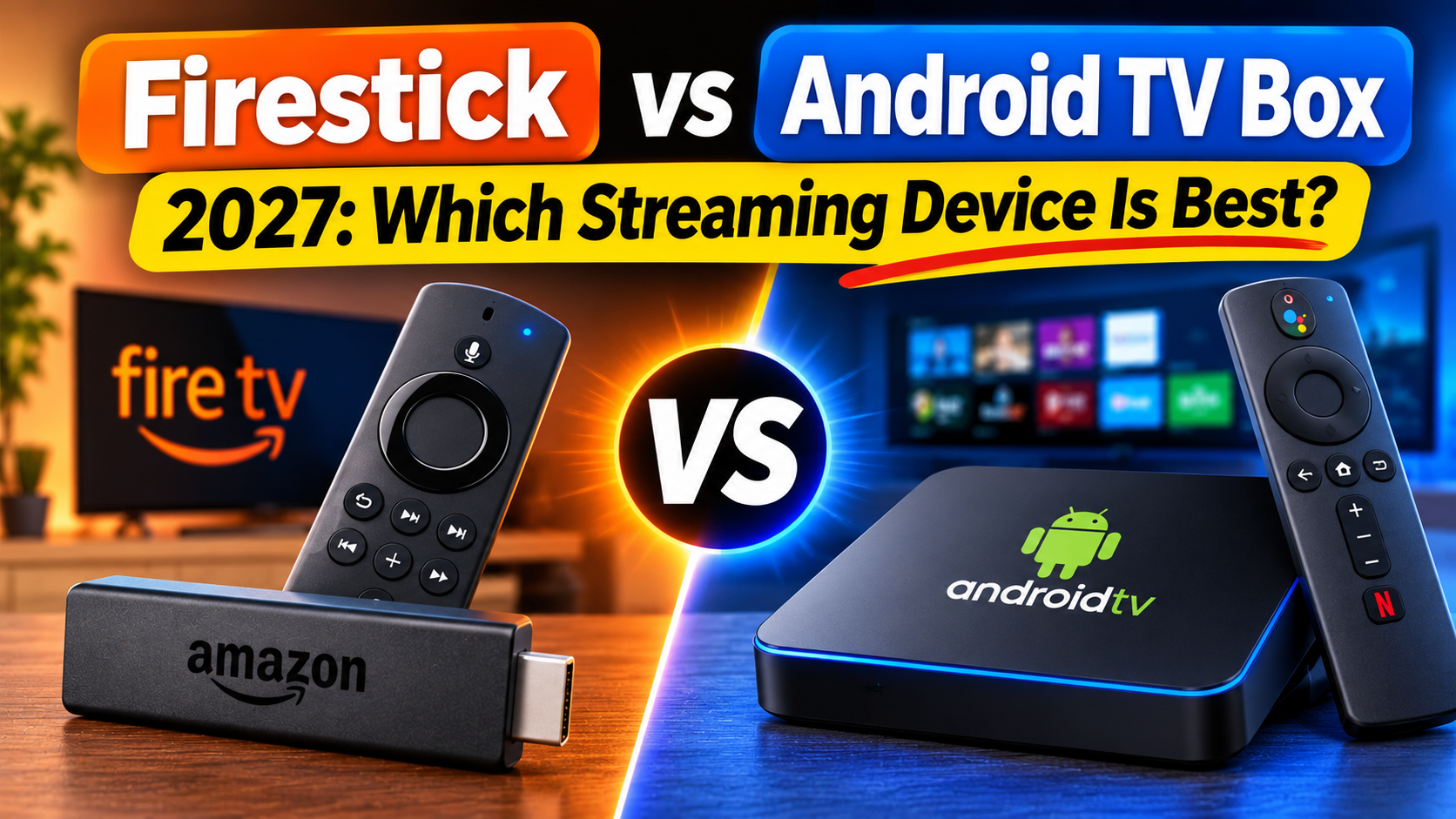
Choosing between an Amazon Firestick and an Android TV box can make a big difference to your streaming experience. Both devices let you turn a regular television into a smart TV, access streaming applications, and watch live television, movies, and on-demand content.
But which one is better in 2027?
If you use IPTV, watch live sports, stream movies, or want access to a wide range of television apps, you need a device that offers reliable performance, good picture quality, and compatibility with the applications you want to use.
In this guide, we'll compare Firestick vs Android TV Box in 2027, looking at performance, storage, IPTV compatibility, installation, internet connections, pricing, and ease of use.
By the end, you'll know which streaming device makes the most sense for your home.
An Amazon Fire TV Stick is a small streaming device that connects directly to your television's HDMI port. It uses Amazon's Fire TV software and is designed to make streaming simple.
An Android TV box is a separate streaming device that connects to your television through HDMI. Depending on the model, it runs Android TV or Google TV and may offer additional storage, ports, and connectivity options.
Both devices can provide access to popular streaming services, but their software and hardware capabilities can be quite different.
Compact design that connects directly to HDMI.
Simple setup and user-friendly interface.
Alexa voice remote on compatible models.
Access to supported streaming applications.
Convenient for travel and secondary televisions.
Usually requires Wi-Fi, although compatible Ethernet adapters are available.
Separate box that sits near your television.
Often offers more storage and connectivity.
Some models include built-in Ethernet.
Access to compatible Android TV and Google TV applications.
More flexibility with supported IPTV players.
Some models support USB storage and additional accessories.
Not every Android box has the same features. Hardware, certification, software updates, and application support vary between manufacturers.
| Feature | Firestick | Android TV Box |
|---|---|---|
| Setup | Very easy | Usually easy |
| Size | Compact stick | Separate box |
| IPTV apps | Model-dependent | Model-dependent |
| Storage | Generally limited | Varies, often more |
| Ethernet | Adapter may be needed | Available on some models |
| Wi-Fi | Built in | Built in on most models |
| USB connections | Limited | Available on some models |
| Customization | More restricted | Generally more flexible |
| Portability | Excellent | Less convenient |
| Best for | Simple streaming | Greater flexibility |
The best option depends on the specific model rather than simply whether it is called a Firestick or Android TV box.
For IPTV users, application compatibility is one of the most important considerations.
IPTV allows television content to be delivered over an internet connection. To watch it, you generally need a compatible IPTV player and an authorized content source.
Popular IPTV player applications include:
TiviMate
IPTV Smarters
Sparkle TV
OTT Navigator
Televizo
Many of these players are designed for Android TV or Google TV. Compatibility and installation options vary between devices.
Older Fire TV devices running Fire OS can support a range of IPTV applications through supported app-store installations or compatible installation methods.
However, there is an important difference with newer models.
Amazon introduced Vega OS on certain newer Fire TV devices in 2025 and 2026. Vega OS is different from the Android-based Fire OS used by older Fire TV Sticks. Applications that worked on older models may not work on newer Vega OS devices.
Before buying a Firestick for IPTV, check the exact model and confirm that your preferred IPTV player is available for it.
A Google-certified Android TV or Google TV box can be a good choice for IPTV users who want access to compatible television applications.
Depending on the model, you may benefit from:
More internal storage.
Additional USB connections.
Built-in Ethernet.
More application choices.
Greater flexibility for compatible IPTV players.
For users who have large playlists or prefer advanced IPTV player features, a suitable Android TV box may be the better option.
Winner: Android TV Box for flexibility, provided you choose a reputable, certified model with suitable hardware.
Nobody wants a streaming device that takes forever to open applications or constantly freezes while watching television.
Performance depends on the processor, available memory, software optimization, and network connection.
Firestick devices are designed for everyday streaming.
A suitable model can handle:
HD streaming.
4K streaming on supported models.
Popular streaming applications.
Live television applications that are compatible with its operating system.
Voice-controlled navigation.
More powerful Fire TV models generally offer a smoother experience than entry-level models.
Android TV boxes are available in several hardware configurations.
Some budget models have limited memory and storage, while higher-quality models offer faster processors and additional connectivity.
A well-equipped Android TV box can be useful for:
Large IPTV playlists.
Multiple streaming applications.
High-quality 4K playback.
Local media playback.
More demanding applications.
However, an inexpensive Android box is not automatically faster than a Firestick.
Winner: It depends on the hardware. A quality Android TV box offers more room for expansion, while a good Firestick provides excellent performance for everyday streaming.
Picture quality is another important factor when choosing a streaming device.
Both Firestick and Android TV devices can support high-quality video, but the supported resolution and HDR features depend on the exact model.
| Picture Quality | What It Means |
|---|---|
| HD | Standard high-definition viewing |
| Full HD | 1080p resolution |
| 4K Ultra HD | Higher detail with compatible content |
| HDR10 | Improved contrast and colour |
| Dolby Vision | Advanced HDR format on supported devices |
A 4K streaming device does not automatically make every channel or movie 4K. The content itself, television, HDMI connection, and streaming application must also support the format.
For IPTV users, the quality of the original stream is just as important as the streaming device.
Winner: Tie. Both categories offer 4K options. Compare the exact specifications before purchasing.
Storage becomes important when you install multiple IPTV players, streaming applications, and other software.
Fire TV Stick devices generally have more limited internal storage than larger streaming boxes.
This may be enough for users who only install a few applications, but it can become restrictive if you regularly add and remove apps.
Many Android TV boxes offer larger storage capacities.
Some also include USB ports that allow compatible external storage devices to be connected.
This can be useful if you want to store local movies, music, or other media.
Remember that external storage support depends on the device and application.
Winner: Android TV Box. Many models provide more storage and expansion options.
A stable internet connection is essential for IPTV and streaming applications.
Both Firestick and Android TV boxes support Wi-Fi, but their network capabilities vary by model.
Firestick devices are designed primarily for wireless streaming.
Some models can use a compatible Ethernet adapter, but you may need to purchase one separately.
Many Android TV boxes include an Ethernet port.
A wired connection can help reduce wireless interference and provide more consistent streaming performance.
This can be particularly useful when watching live sports or high-quality IPTV streams.
Winner: Android TV Box if built-in Ethernet is important to you.
If you are not comfortable with technology, ease of setup may be one of your biggest priorities.
Connect the Firestick to your television's HDMI port.
Connect its power supply.
Select the correct HDMI input.
Follow the on-screen setup instructions.
Connect to your Wi-Fi network.
Sign in with your Amazon account.
Install compatible streaming applications.
Most people can complete the setup in a short amount of time.
Connect the box to your television using HDMI.
Connect the power supply.
Turn on your television.
Follow the setup instructions.
Connect to Wi-Fi or Ethernet.
Sign in with your Google account if required.
Install compatible applications.
Both devices are relatively easy to set up.
Winner: Firestick for simplicity and its compact design, although Google TV boxes are also straightforward.
Live sports can place greater demands on your streaming setup.
Fast-moving action, high-resolution video, and busy streaming periods can reveal problems with weak hardware or unstable internet connections.
For a better live sports experience, look for:
Reliable internet connectivity.
Sufficient processing power.
Good Wi-Fi reception or Ethernet.
Compatible video decoding.
A stable IPTV player.
Adequate device storage.
A good Firestick can handle live sports streaming when the application and stream are compatible.
However, an Android TV box with stronger hardware and built-in Ethernet may be more suitable for people who watch sports regularly.
Neither device can guarantee that an IPTV stream will never buffer. Provider performance and internet stability also matter.
This is one area where buyers should pay particular attention in 2027.
Amazon's Fire TV platform has changed, and not every newer Fire TV device uses the same operating system.
Some newer models use Vega OS, while older models use Fire OS.
That means you should never assume that an IPTV application compatible with one Firestick will automatically work on every newer Fire TV device.
Android TV and Google TV boxes also differ in software support. Look for devices that are Google-certified and receive regular manufacturer security updates.
Avoid cheap, unbranded boxes that advertise unlimited free channels or come preloaded with unauthorized applications.
Winner: Android TV or Google TV for users who want a broad selection of compatible Android television applications, provided the box is properly certified.
Price is an important part of the decision.
Firesticks are generally designed as affordable streaming devices, while Android TV boxes range from inexpensive entry-level products to premium models.
Your total cost should include:
The streaming device.
Any Ethernet adapter you need.
Additional storage, if supported.
Optional accessories.
Any paid streaming subscriptions.
A cheap device is not always the best value if it has poor performance, limited app compatibility, or no meaningful software support.
For most casual viewers, a good streaming stick can offer excellent value.
For more demanding users, paying extra for a quality Android TV box may be worthwhile.
You may see inexpensive Android boxes advertised online with promises of thousands of channels, free movies, and premium sports.
Be careful with these offers.
Some unbranded devices have questionable software, limited security updates, poor performance, or misleading specifications.
Before buying an Android TV box, check:
Whether it is Google-certified.
Whether it supports the streaming services you use.
How much RAM and storage it has.
Whether it supports the video formats you need.
Whether the manufacturer provides updates.
Whether it has a genuine warranty and customer support.
Avoid devices that promise free access to paid television channels without proper authorization.
A reputable device is a much better investment than a cheap box with questionable software.
Here is a simple way to decide.
You want a small and portable streaming device.
You prefer a straightforward setup.
You mainly use popular streaming applications.
You do not need additional storage.
You are comfortable using Wi-Fi.
Your preferred IPTV player is confirmed to work on the exact model.
You want more storage.
You prefer built-in Ethernet.
You use several streaming applications.
You want greater flexibility with compatible IPTV players.
You watch a lot of live sports.
You want additional ports for accessories or media storage.
For most IPTV users who want flexibility, a good Android TV or Google TV box is a strong choice.
For everyday streaming, a compatible Firestick can still be an excellent option.
A Firestick is better for simple, affordable streaming and portability. An Android TV box may be better for storage, Ethernet connectivity, and application flexibility. The best choice depends on the model.
A certified Android TV or Google TV box is a strong option for IPTV users who want access to compatible IPTV players. A Firestick can also work well, but you should check its exact operating system and application compatibility before buying.
TiviMate is designed for Android TV devices, and compatibility with Fire TV depends on the particular Fire OS model and installation availability. Do not assume it will work on newer Vega OS devices.
No. Many Android TV boxes include Ethernet ports, allowing you to connect directly to your router. Others rely on Wi-Fi, so check the specifications before purchasing.
Compatible Firestick models can play 4K content when the application, stream, television, and internet connection support it.
Not automatically. Buffering can be caused by internet problems, network congestion, application issues, device performance, or the IPTV provider. A good Android TV box with Ethernet may help create a more stable setup.
No. Some run certified Android TV or Google TV software, while others use generic versions of Android. Certification, hardware quality, software updates, and application compatibility can vary considerably.
Many IPTV services allow compatible applications to be configured on different devices, but simultaneous connections and device limits depend on the provider's terms. Check your subscription conditions before using multiple devices.
Both Firestick and Android TV boxes can provide an excellent streaming experience, but they are designed for slightly different types of users.
A Firestick is a good choice if you want something affordable, compact, and easy to operate.
An Android TV or Google TV box is worth considering if you want more storage, additional connections, Ethernet support, and flexibility with compatible IPTV applications.
Our recommendation: If IPTV compatibility and flexibility are your main priorities, choose a reputable, certified Android TV or Google TV box. If you prefer a simple streaming device, choose a Firestick model only after confirming that it supports the applications you plan to use.
Whichever device you choose, make sure it has reliable software support and works with your preferred streaming applications.
The right device can make watching live TV, sports, movies, and on-demand entertainment much easier in 2027.