Are you wondering how much internet speed you need for IPTV? Whether you're watching live television on a Firestick, streaming sports in HD or enjoying movies in 4K, having a reliable internet connection is important for a smooth viewing experience.
The good news is that most Canadian households already have enough internet speed to watch IPTV. However, your actual experience depends on more than the download speed advertised by your internet provider. Wi-Fi quality, network congestion, streaming resolution and the number of devices using your connection can all make a difference.
In this guide, we'll explain how many Mbps you need for IPTV in 2027, compare SD, HD and 4K streaming, look at multiple televisions and show you how to improve your connection if IPTV keeps buffering.
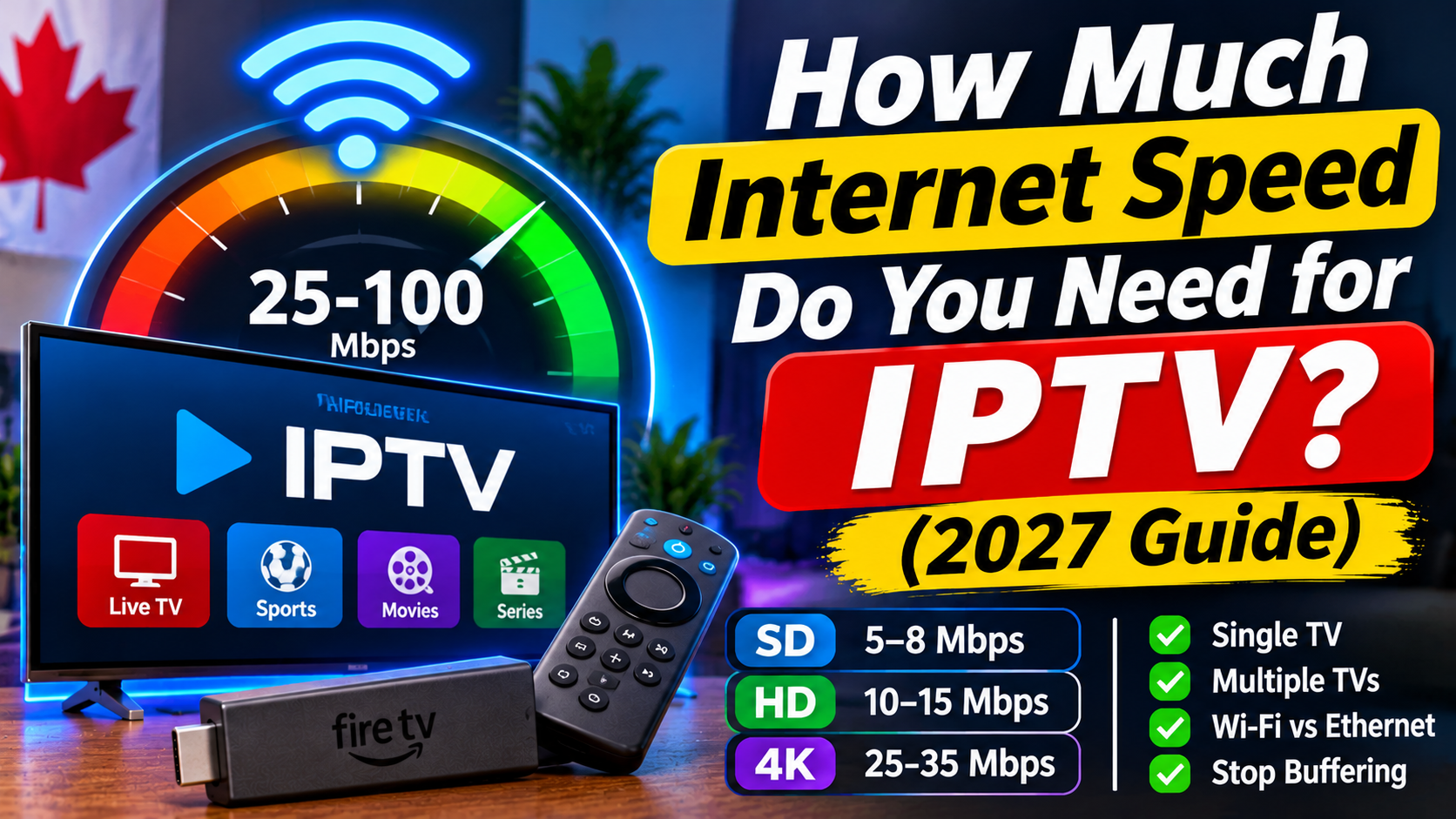
As a practical starting point, most households should aim for approximately 10–15 Mbps per HD stream and 25–35 Mbps per 4K stream.
These are comfortable targets rather than universal minimum requirements. Actual bandwidth needs depend on the IPTV provider, video quality, compression and stability of your internet connection.
Here is a general guide:
| Streaming quality | Suggested speed per stream |
|---|---|
| SD (480p) | 5–8 Mbps |
| HD (720p) | 10 Mbps |
| Full HD (1080p) | 10–15 Mbps |
| 4K Ultra HD | 25–35 Mbps |
If you're only watching IPTV on one television, you may not need an expensive internet package. A stable connection with enough available bandwidth is more important than simply choosing the fastest plan.
Different streaming resolutions use different amounts of bandwidth. Understanding the difference can help you choose the right internet package.
Standard Definition uses less bandwidth than HD or 4K streaming.
A connection delivering around 5–8 Mbps per stream is a reasonable target for SD viewing.
SD can be useful if:
You have a slower internet connection.
You're watching on a smaller television.
You want to reduce bandwidth usage.
Your home internet connection has limited capacity.
HD streaming offers a clearer picture than standard definition and works well for everyday television viewing.
For a more reliable experience, aim for approximately 10 Mbps per HD stream.
HD is suitable for:
Live television.
News and entertainment.
Movies and television shows.
Everyday sports viewing.
Full HD provides more picture detail than 720p and can look particularly good on larger televisions.
For 1080p IPTV, aim for approximately 10–15 Mbps per stream.
Your actual requirements may be higher during busy periods or when other household devices are using the internet.
4K Ultra HD provides significantly more picture detail than standard HD.
For 4K IPTV, a practical target is approximately 25–35 Mbps per stream.
You'll also need:
A television that supports 4K.
A compatible streaming device.
A source that actually provides 4K content.
A stable internet connection.
An IPTV application that supports the required video format.
Having a fast internet connection doesn't automatically make HD content display in 4K. The content and equipment must support that resolution.
If you have more than one television in your home, you should calculate how many IPTV streams may be playing simultaneously.
Each stream uses part of your available bandwidth.
Here are some examples:
| Household setup | Suggested internet speed |
|---|---|
| 1 HD television | 20–25 Mbps |
| 2 HD televisions | 40–50 Mbps |
| 3 HD televisions | 60–75 Mbps |
| 1 4K television | 35–50 Mbps |
| 1 4K + 1 HD television | 50–65 Mbps |
| 1 4K + 2 HD televisions | 75–100 Mbps |
These figures include some extra room for other household internet activity. They are planning estimates, not guaranteed minimums.
Remember that phones, computers, gaming consoles, video calls and downloads also use bandwidth.
If several people in your home stream television at the same time, choosing an internet package with additional capacity can help prevent network congestion.
Yes. A stable 50 Mbps connection is generally enough for one or two HD IPTV streams and everyday internet use.
It may also support a single 4K stream, depending on the provider, video quality and what else is happening on your network.
However, if you have several televisions streaming simultaneously, you may benefit from a faster connection.
For most households, 100 Mbps provides plenty of bandwidth for IPTV.
It can comfortably support multiple HD streams, general internet browsing and other connected devices, provided your home network distributes the connection properly.
A 100 Mbps package is a reasonable option for families who regularly use several streaming devices.
IPTV and other streaming services both use your internet connection to deliver video.
The amount of bandwidth depends on the resolution, video bitrate, compression and streaming platform.
For example, Netflix lists recommended speeds of 5 Mbps for Full HD and 15 Mbps for 4K. IPTV services can have different requirements, particularly for live television and sports.
This is why it's best to leave some extra bandwidth available rather than choosing an internet package based on the lowest possible streaming requirement.
One of the most frustrating IPTV problems is buffering when your internet package appears fast enough.
You might have 100 Mbps, 300 Mbps or even faster internet and still experience freezing.
Here are some common reasons.
Your internet plan may deliver excellent speeds to your router, but your Firestick or television might receive a much weaker signal.
Distance, walls, floors and interference can reduce Wi-Fi performance.
What to do: Move your router closer to your streaming device or consider a better Wi-Fi access point.
Other household devices may use bandwidth while you're watching IPTV.
Large downloads, online gaming, video calls and additional streaming sessions can affect your available connection.
What to do: Pause unnecessary downloads and check whether other devices are using significant bandwidth.
Internet performance can change throughout the day.
Some households experience slower speeds during busy evening periods when more people are using the local network.
What to do: Run a speed test during the evening as well as during quieter periods.
Not every buffering problem comes from your internet connection.
An IPTV provider may experience server congestion, technical issues or problems delivering a particular channel.
What to do: Test other channels and streaming services. If your internet works normally but certain IPTV channels keep freezing, contact your provider.
An older Firestick or streaming box may struggle with certain video formats or applications.
Insufficient storage, overheating and outdated software can also affect playback.
What to do: Restart your device, clear unnecessary cached data and check for available software updates.
Both Wi-Fi and Ethernet can work well for IPTV, but a wired connection often provides more consistent performance.
<image-placeholder/>
Wi-Fi is convenient because you don't need to run an Ethernet cable to your television.
However, performance can be affected by:
Distance from the router.
Thick walls and floors.
Wireless interference.
Other connected devices.
Router placement.
If possible, use a 5 GHz Wi-Fi connection when your device and router support it and the signal is strong enough.
Ethernet connects your streaming device directly to your router using a network cable.
Benefits include:
More consistent network performance.
Less wireless interference.
Reliable connections for live streaming.
Fewer problems caused by weak Wi-Fi signals.
If your Firestick supports an appropriate Ethernet adapter, or your streaming box has an Ethernet port, a wired connection is worth considering.
Before upgrading your internet package, test the connection you're actually using to watch television.
Follow these steps:
Step 1: Open a speed test website.
Use a trusted service such as Speedtest by Ookla or Fast.com.
Step 2: Run a download speed test.
Check the download speed in Mbps.
Step 3: Test near your streaming device.
A speed test on a phone beside your router may show a much better result than the connection your television receives.
Whenever possible, run the test on the Firestick, Android TV box or device you're using for IPTV.
Step 4: Repeat the test.
Check your speed at different times, especially during the evening when your household is most active.
Step 5: Compare your results.
If your speed drops significantly near your television, investigate your Wi-Fi connection before paying for a faster internet package.
Firestick devices are commonly used for IPTV because they connect directly to a television and support compatible streaming applications.
For a better experience, consider these tips:
Connect to a strong Wi-Fi signal.
Use 5 GHz Wi-Fi when supported and practical.
Keep your Firestick software updated.
Close applications you aren't using.
Make sure your device has enough free storage.
Consider Ethernet if Wi-Fi performance is inconsistent.
Restart your router if your connection becomes unstable.
Also check that your IPTV application is compatible with your particular Fire TV model and operating system.
Live sports can be demanding because fast-moving action makes picture quality and playback problems more noticeable.
If you're watching football, hockey, basketball or other live events, a stable connection is especially important.
For HD sports streaming, aim for approximately 10–15 Mbps per stream. For 4K sports, 25–35 Mbps or more is a useful target.
Other factors can still affect playback, including:
Network congestion.
Wi-Fi interference.
IPTV provider performance.
Device processing capabilities.
Video encoding and bitrate.
If sports channels buffer during major live events but other channels work normally, the issue may not be your internet package.
Not necessarily.
Before spending more money on a faster internet plan, check your current connection.
You may already have enough bandwidth for IPTV, but your router placement or Wi-Fi signal could be causing problems.
Consider upgrading if:
Your available speed regularly falls below your household's needs.
Several televisions stream simultaneously.
Your household frequently downloads large files.
Multiple people use video calls and streaming services together.
Your current internet package struggles during busy periods.
If your speed tests are consistently strong but IPTV continues buffering, investigate your device, home network and provider before assuming a faster package will solve everything.
It depends on the streaming quality. Around 5–8 Mbps is a reasonable starting target for SD, 10–15 Mbps for HD and 25–35 Mbps for 4K per stream.
Yes. A stable 25 Mbps connection can generally support one HD stream and may support a 4K stream depending on its bitrate and other network activity.
It is generally a reasonable target for two HD streams, with some room for other household internet activity.
Yes. A stable 100 Mbps connection is sufficient for most households, including homes with multiple HD streaming devices.
IPTV data usage depends on the video bitrate and how long you watch. Higher-resolution streams generally use more data than lower-resolution streams. Check your provider's information and your internet plan's data allowance if you have a monthly cap.
Yes, some IPTV streams can work on slower connections, particularly at lower resolutions. However, an unstable connection may cause buffering, freezing or reduced picture quality.
Not always. Faster internet can help when bandwidth is insufficient, but buffering can also be caused by weak Wi-Fi, device problems, network congestion or IPTV provider issues.
Ethernet often provides a more consistent connection because it avoids wireless interference. However, a strong Wi-Fi connection can also work very well.
You don't need the fastest internet package available to enjoy IPTV. What matters most is having enough consistent bandwidth for the number of streams in your home.
For most Canadian households, a stable 50–100 Mbps connection is a practical starting point, depending on the number of televisions and other connected devices.
If you're experiencing buffering, check your actual device speed, Wi-Fi signal and streaming equipment before upgrading your internet plan.
With the right connection and a compatible streaming device, you can enjoy live television, movies and sports with a smoother IPTV experience.
Always use IPTV providers and content sources that are authorized to distribute the programming you watch.