Watching live sports through IPTV has become increasingly popular among viewers who want convenient access to sports channels, live events, and entertainment across multiple devices. Whether you're watching hockey, football, basketball, soccer, or other major sporting events, having the right IPTV setup can make a significant difference to your viewing experience.
However, getting reliable IPTV performance across multiple televisions isn't always as simple as installing an application.
A successful setup requires a compatible streaming device, a stable internet connection, properly configured IPTV applications, and enough simultaneous connections to support everyone watching.
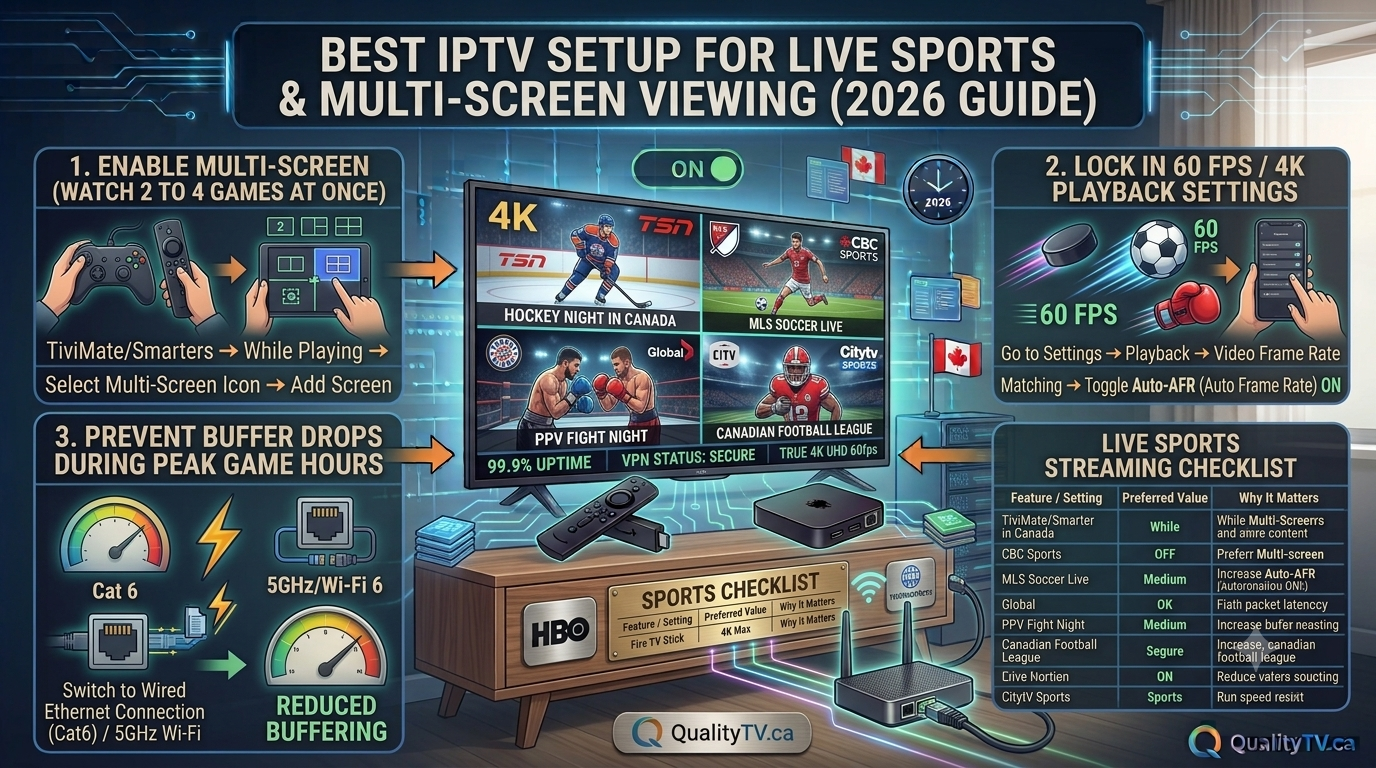
In this comprehensive Best IPTV Setup for Live Sports & Multi-Screen Guide for 2027, we'll explain how to build a reliable home streaming setup, reduce buffering during live sporting events, configure multiple devices, and optimize your network for smoother IPTV playback.
Whether you're using an Amazon Firestick, Android TV Box, Smart TV, or another compatible streaming device, these recommendations will help you get more from your IPTV entertainment experience.
IPTV delivers television programming through an internet connection rather than traditional cable or satellite television infrastructure.
For sports enthusiasts, compatible IPTV services can provide convenient access to live sporting events, sports channels, and other entertainment content.
Some of the advantages include:
Access to live sports programming through compatible services.
Support for multiple streaming devices.
Flexible viewing across televisions, tablets, and smartphones.
HD and 4K streaming where supported.
Convenient access to live and on-demand content.
The ability to organize favourite channels and sports categories.
The actual channels, sports coverage, picture quality, and number of simultaneous connections depend on the service and subscription you choose.
Always use legitimate services that have the appropriate rights to distribute the content.
Choosing the right streaming hardware is an important part of building a reliable IPTV setup.
Different devices offer different performance levels, storage capacities, network options, and application compatibility.
The Amazon Fire TV Stick is a popular choice for IPTV users because of its compact design, straightforward installation, and support for compatible streaming applications.
Benefits include:
Simple HDMI installation.
Access to compatible streaming applications.
Convenient remote control.
Support for HD and, on compatible models, 4K streaming.
Portable design.
For households that want IPTV in multiple rooms, individual Fire TV devices can provide a convenient solution.
Android TV boxes offer another option for viewers who want a dedicated home entertainment device.
Depending on the model, they may provide:
Additional processing power.
More internal storage.
Ethernet connectivity.
Support for compatible IPTV applications.
Flexible display and audio settings.
Choose a reputable device with appropriate security updates and official software support.
Many modern televisions support streaming applications directly through their built-in operating systems.
This can reduce the need for additional streaming hardware.
However, application availability and performance vary depending on the television brand, operating system, and model.
Smartphones and tablets provide additional flexibility for viewers who want to watch sports away from their main television.
They can also be useful when multiple family members want to watch different programming simultaneously.
One of the biggest advantages of a multi-screen streaming setup is that different household members can watch different programming at the same time.
For example:
Living room: Live hockey.
Bedroom: Football or soccer.
Basement: Movies or entertainment.
Tablet: Sports highlights or another live event.
To build this setup, each screen needs a compatible device or application.
Choose the televisions and devices you want to use.
Install a compatible IPTV application on each device.
Follow the authorized provider's setup instructions.
Enter the appropriate account or subscription details.
Configure the channel guide and favourite categories.
Test each device individually.
Test all intended screens simultaneously.
Important: Installing an application on multiple devices does not necessarily mean you can stream on all of them simultaneously. Check your provider's permitted simultaneous connection limit before configuring your household.
Your internet connection plays a major role in IPTV performance.
When multiple televisions are streaming simultaneously, each stream requires its own share of available bandwidth.
The more screens playing at once, the more internet capacity your household needs.
| Streaming Setup | Suggested Stable Speed |
|---|---|
| 1 HD screen | 15–25 Mbps |
| 2 HD screens | 30–50 Mbps |
| 3 HD screens | 45–75 Mbps |
| 1 4K screen | 25–50 Mbps |
| 1 4K + 1 HD | 40–75 Mbps |
| 2 4K screens | 50–100 Mbps |
These are practical planning estimates, not guaranteed minimums. Actual requirements depend on video bitrate, compression, other household internet usage, and connection stability.
Your household internet connection is also being used by:
Smartphones.
Computers and laptops.
Gaming consoles.
Video conferencing.
Automatic software updates.
Other streaming applications.
Allow additional bandwidth beyond your calculated IPTV requirements to avoid unnecessary competition between devices.
For Canadian households, it's also worth checking actual evening performance rather than relying entirely on the advertised internet speed.
When watching important sporting events, connection stability is essential.
A fast internet connection can still experience buffering if the wireless signal is weak or inconsistent.
Ethernet provides a direct wired connection between your streaming device and router.
Advantages include:
More consistent network performance.
Reduced wireless interference.
Reliable connectivity.
Less competition for Wi-Fi airtime.
For your main television, Ethernet is an excellent option when practical.
Wi-Fi provides flexibility and makes installing additional streaming devices easier.
For better performance:
Use 5 GHz Wi-Fi when signal strength is sufficient.
Position your router in an open location.
Avoid unnecessary distance between devices and router.
Consider a mesh Wi-Fi system for larger homes.
Avoid placing streaming devices in areas with weak reception.
Our recommendation: Use Ethernet for the main sports television whenever possible and reliable Wi-Fi for secondary screens.
Amazon Firestick devices are popular because they offer an accessible way to enjoy compatible streaming services.
However, optimizing the device can help avoid common performance problems.
Recommended maintenance includes:
Display settings: Select a resolution supported by your television and streaming device.
Application management: Remove applications you no longer use.
Cache management: Clear unnecessary application cache when troubleshooting performance issues.
Software updates: Install available Fire OS updates.
Device ventilation: Keep your Firestick away from excessive heat.
Power supply: Use the recommended power adapter rather than an underpowered television USB port.
For additional help, see our related article:
Advanced Firestick Troubleshooting and Optimization Guide 2027.
There is nothing more frustrating than watching an important sporting event when the picture suddenly freezes.
Live sports can be particularly sensitive to connection instability because viewers want continuous playback without interruptions.
Try these troubleshooting recommendations:
Restart your router and streaming device.
Test your internet speed during the evening.
Use Ethernet if possible.
Reduce unnecessary network activity.
Close applications running in the background.
Clear unnecessary IPTV application cache.
Check for available application updates.
Test another channel to determine whether the problem is stream-specific.
If buffering occurs on only one sports channel, the issue may be related to that particular stream.
If every channel experiences problems, investigate your network, device, and service connection.
For more detailed troubleshooting, read our guide:
How to Fix IPTV Buffering & Stuttering (2026 Top Fixes).
A well-organized home network helps multiple devices operate more reliably.
Consider the following arrangement:
Main Living Room TV
Ethernet connection where practical.
Compatible Fire TV or Android TV device.
High-quality HDMI connection.
Bedroom Television
Fire TV Stick or compatible Smart TV application.
Strong 5 GHz Wi-Fi connection.
Basement Television
Wired Ethernet or a nearby mesh Wi-Fi access point.
Compatible streaming device.
Mobile Devices
Reliable home Wi-Fi or mobile internet.
Compatible streaming applications.
This arrangement helps distribute network traffic and reduces the likelihood that one poorly connected television will interrupt the household's viewing experience.
Before setting up several televisions, understand the difference between the number of devices and the number of simultaneous connections.
These are not always the same thing.
For example, your provider may allow an application to be installed on several devices while restricting how many can stream at the same time.
Consider this example:
| Device | Activity |
|---|---|
| Living room TV | Watching live sports |
| Bedroom TV | Watching another channel |
| Basement TV | Watching movies |
| Tablet | Watching live television |
In this example, four streams are playing simultaneously.
Your subscription must support at least four simultaneous streams if you want all four devices playing at once.
Always confirm the permitted connection count with your provider before purchasing a subscription.
Picture quality is another important consideration when watching live sporting events.
HD and 4K streaming provide different viewing experiences.
HD remains a practical choice for many households.
Benefits include:
Lower bandwidth requirements.
Compatibility with a wide range of devices.
Good picture quality on many televisions.
More flexibility when streaming across several screens.
4K offers higher picture resolution and can provide greater image detail when the television, device, and streaming source support it.
However, 4K requires more bandwidth and compatible equipment.
Before choosing 4K, make sure your complete setup supports the required resolution.
For households watching several televisions simultaneously, Full HD may be a more practical choice for secondary screens.
One of the best ways to prevent problems during an important sporting event is to test your equipment beforehand.
Follow this simple procedure:
Turn on every television you plan to use.
Open the IPTV application on each device.
Start a different channel on each screen.
Allow the streams to run simultaneously.
Check for buffering or picture interruptions.
Test the television furthest from your router.
Check whether all streams remain stable.
Run this test during the evening when your household internet connection is likely to be busier.
If one television consistently experiences problems, investigate its Wi-Fi signal or consider a wired connection.
Problem: Too Many Connections Error
Your subscription may have reached its simultaneous connection limit. Stop playback on another device or check your permitted connection count.
Problem: One Television Keeps Buffering
Check the wireless signal strength, device performance, and network connection for that particular television.
Problem: All Televisions Experience Buffering
Investigate router performance, internet stability, network congestion, and possible service-side problems.
Problem: IPTV Works on One TV but Not Another
Check application compatibility, account configuration, device updates, and subscription permissions.
Problem: 4K Streaming Keeps Freezing
Check the device's 4K support, available bandwidth, HDMI compatibility, and the quality of the streaming source.
Compatible Amazon Fire TV devices and reputable Android TV devices are popular choices. The best option depends on your preferred applications, budget, network requirements