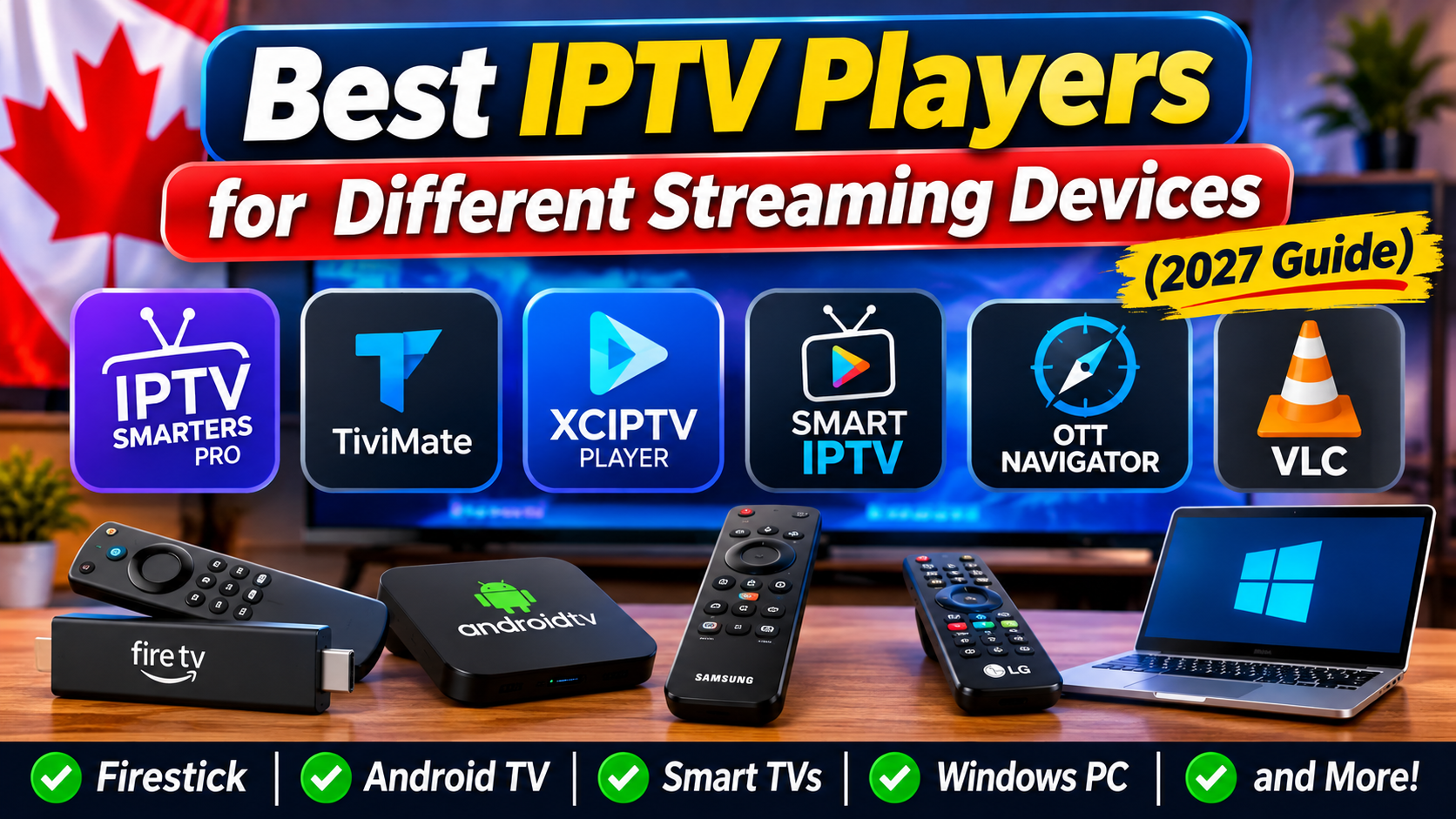
Choosing the right IPTV player can make a big difference in your streaming experience. The best app depends on the device you use, the features you need and how comfortable you are navigating its menus.
Whether you watch IPTV on an Amazon Firestick, Android TV box, Smart TV or mobile device, several IPTV player apps are available to help organize live TV channels, movies, series and electronic program guides (EPG).
In this guide, we'll compare some of the best IPTV players for different streaming devices in 2027, explain their features and help you decide which option may work best for your setup.
An IPTV player is an application that allows you to organize and play television content delivered through an IPTV service.
Most IPTV players do not provide television channels or subscriptions themselves. Instead, they allow you to enter compatible login details or load a playlist supplied by an IPTV provider.
Depending on the application, you may be able to access:
Live television channels
Movies and Video on Demand (VOD)
TV series and episodes
Electronic Program Guide (EPG)
Favourite channels and custom categories
Catch-up TV, when supported by your service
The features available depend on the player, your device and the IPTV service you use.
Not every IPTV player works on every streaming device. Some applications are designed specifically for Android-based devices, while others are made for Samsung and LG Smart TVs.
Here are several popular options worth considering.
Best for: Firestick, Android TV, Android phones and compatible devices.
IPTV Smarters Pro is a popular IPTV player known for its straightforward layout and support for multiple types of IPTV login methods.
It allows users to organize live television, movies and series in separate sections, making it easier to navigate available content.
Key features:
Live TV, movies and series sections
Xtream Codes API login support
M3U playlist support, depending on the version
Electronic Program Guide support
Multi-screen features on supported versions
Favourite channels and content organization
Advantages:
User-friendly interface
Works on many Android-based devices
Organizes different types of content
Suitable for beginners and experienced users
Things to consider:
Availability and features can vary between versions and device platforms. Make sure you download the appropriate version from a trusted source.
Recommended setup: Firestick and Android TV users looking for an easy-to-navigate IPTV application.
Best for: Android TV boxes and compatible Fire TV devices.
TiviMate is especially popular among users who prefer a traditional television-style interface.
Its layout focuses on live television channels and an electronic program guide, making it feel similar to using a conventional cable or satellite TV receiver.
Key features:
Advanced electronic program guide
Customizable channel lists
Favourite channel groups
Multiple playlist support
Recording features on supported devices and versions
Customizable interface
Advantages:
Excellent live TV organization
Detailed TV guide
Customizable channel layout
Designed with larger television screens in mind
Things to consider:
TiviMate is primarily designed for Android TV devices. Some advanced features require a premium subscription, and compatibility should be checked before installation.
Recommended setup: Users who mainly watch live television and want a cable-like channel guide.
For installation instructions, visit our TiviMate IPTV Player Setup Guide.
Best for: Android TV boxes, Firestick and compatible Android devices.
XCIPTV Player is another option for users who want a clean interface with separate sections for live TV, movies and series.
Its layout is designed to make browsing content relatively simple, especially on television screens.
Key features:
Live TV categories
Movies and series sections
EPG support
Favourite content
Parental control options, where supported
Customizable player settings
Advantages:
Television-friendly interface
Easy content navigation
Multiple content categories
Useful playback and organization options
Things to consider:
Features and availability can vary depending on the version and device. Always use a trusted download source and check that your IPTV provider supports the required login method.
Recommended setup: Users who want a straightforward IPTV interface on Android-based streaming devices.
Learn how to install and configure it in our XCIPTV Player APK Download and Setup Guide.
Best for: Compatible Samsung and LG Smart TVs.
Smart IPTV is an application designed to play IPTV playlists on supported Smart TVs.
Unlike some Android-based players, Smart IPTV is associated with television platforms such as Samsung's Tizen and LG's webOS.
Key features:
M3U playlist support
Channel organization
EPG support, depending on configuration
Television remote navigation
Playlist management
Advantages:
Designed for compatible Smart TVs
No separate streaming box required when supported
Simple television-based navigation
Things to consider:
Smart IPTV availability, activation requirements and compatibility can vary by television model and region. Check the official application information before purchasing or activating it.
Recommended setup: Smart TV owners who prefer using an application directly on their television.
For more information, see our Samsung and LG Smart TV IPTV Setup Guide.
Best for: Android TV boxes and compatible Android devices.
OTT Navigator is a customizable IPTV player that offers several options for organizing and browsing television content.
It may appeal to users who want more control over how channels, categories and program information appear.
Key features:
Live TV and playlist organization
EPG integration
Customizable channel groups
Multiple playlist support
Search and filtering options
Playback customization
Advantages:
Flexible interface
Detailed content organization
Useful customization options
Suitable for users who like adjusting their settings
Things to consider:
The interface may take some time to learn, especially for beginners. Availability and features depend on the version and device.
Recommended setup: Experienced Android users who prefer customization and detailed channel organization.
Best for: Windows computers, macOS, Android and compatible devices.
VLC Media Player is widely known as a multimedia player that supports many video and audio formats.
It can also open compatible network streams and M3U playlists, making it useful for users who want to test or play supported IPTV streams.
Key features:
M3U playlist support
Network stream playback
Wide format compatibility
Audio and subtitle controls
Available on several operating systems
Advantages:
Free to use
Supports many media formats
Useful for testing compatible streams
Works on computers and supported mobile devices
Things to consider:
VLC does not provide a complete television-style IPTV interface like TiviMate or IPTV Smarters Pro. Some IPTV features, such as advanced EPG organization, may require a different application.
Recommended setup: Computer users and people who want a simple media player for compatible IPTV streams.
The best IPTV application depends on your streaming device and the features you want.
| Streaming device | Players to consider |
|---|---|
| Amazon Firestick | IPTV Smarters Pro, TiviMate, XCIPTV |
| Android TV box | TiviMate, IPTV Smarters Pro, OTT Navigator |
| Formuler devices | MYTVOnline, where supported |
| Samsung Smart TV | Compatible Smart TV players |
| LG Smart TV | Compatible Smart TV players |
| Windows PC | VLC Media Player |
| Android phone or tablet | IPTV Smarters Pro, VLC and compatible apps |
Remember that app availability can change. Always confirm compatibility with your exact device model before installing or purchasing an application.
Before installing an IPTV player, consider the following factors.
First, check whether the application supports your device.
An app designed for Android TV may not work on a Samsung or LG Smart TV. Similarly, some applications have different versions for Fire TV and Android devices.
If you are new to IPTV, choose an application with a simple layout.
Look for easy access to live channels, movies, series and the TV guide. A complicated interface can make everyday viewing frustrating.
An EPG displays television schedules and program information.
If you regularly watch live television, choose a player with good EPG support. Remember that accurate listings also depend on the guide data supplied by your IPTV service.
IPTV applications may support different connection methods, including:
M3U playlist URLs
Xtream Codes API login
Portal-based connections on supported applications
Check which login method your IPTV provider supplies before choosing an application.
A good IPTV player should respond smoothly when changing channels, opening menus and browsing content.
Performance also depends on your internet connection, streaming device, available memory and the quality of the stream.
Although the exact steps vary by application, most IPTV players follow a similar setup process.
Step 1: Choose a compatible application
Select an IPTV player that works with your streaming device.
Step 2: Install the application
Download it through the device's official app store or another trusted source recommended by the application developer.
Step 3: Open the application
Launch the player and select the available option to add a playlist or connect an account.
Step 4: Enter your IPTV details
Depending on the application, you may need an M3U playlist URL, Xtream Codes API details or another supported connection method.
Step 5: Load your channels
Allow the application to connect and organize the available channels, movies and series.
Step 6: Configure your TV guide
If your service provides EPG information, follow the application's instructions to load and refresh the guide.
Step 7: Test playback
Open a few channels and check that video, audio and program information are working correctly.
For more help, visit our IPTV Setup and Installation Guides.
Even a good IPTV player can occasionally experience problems. Here are a few common issues and things to check.
IPTV channels will not load
Check your internet connection.
Confirm your playlist or login details.
Refresh the playlist.
Restart the application.
The TV guide is missing
Check whether your provider supplies EPG information.
Refresh the guide.
Confirm that the correct EPG source is configured.
The application keeps freezing
Restart your streaming device.
Close unused applications.
Check available storage.
Update the application if an update is available.
Black screen or no picture
Test another channel.
Check the application's video player settings.
Restart the stream.
Check whether the problem affects one channel or all channels.
Login errors
Carefully check your username and password.
Confirm that the account is active.
Verify the server address and connection details.
Contact your provider if the credentials are not working.
IPTV Smarters Pro, TiviMate and XCIPTV are popular options to consider. The best choice depends on compatibility, features and personal preference.
They serve slightly different preferences. TiviMate is particularly popular for its live TV guide and customization, while IPTV Smarters Pro offers a straightforward layout for live TV, movies and series.
Some applications are available on multiple platforms, but compatibility and licensing may differ. You may also need to configure each device separately.
Most IPTV players do not include television channels or subscriptions. They are applications used to play compatible content supplied through a separate service.
Some IPTV players are free, while others offer paid upgrades, premium features or activation requirements. Check the application's official terms before paying.
No. IPTV can work on compatible Android TV boxes, Smart TVs, computers, mobile devices and other supported streaming hardware.
There is no single IPTV player that is best for everyone. Your choice should depend on your streaming device, preferred features and how you like to watch television.
For a simple experience, IPTV Smarters Pro is worth considering. If you prefer a traditional live TV guide, TiviMate is a strong option. XCIPTV and OTT Navigator offer additional choices for Android users, while Smart IPTV may suit owners of compatible Samsung and LG televisions.
Before installing an application, always check device compatibility and confirm that it supports the connection details provided by your IPTV service.
Ready to enjoy IPTV on your device?
Explore the available QualityTV Subscription Plans and browse our setup guides to help get your compatible streaming device ready.