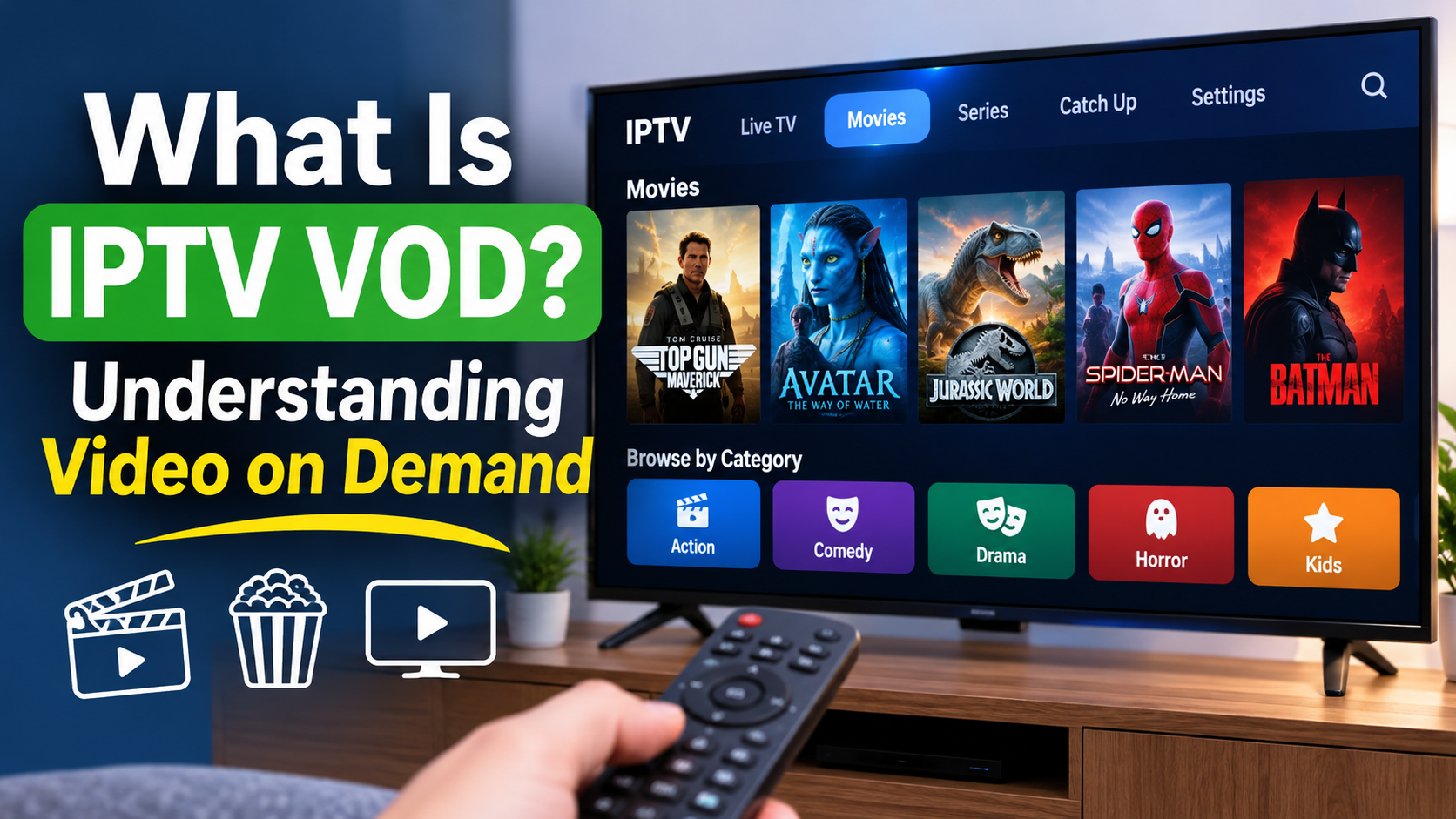
IPTV has changed the way people watch television by offering more flexibility than traditional cable and satellite services. Instead of being limited to scheduled television programming, viewers can access different types of entertainment through an internet connection.
One popular feature of IPTV is VOD, which stands for Video on Demand.
But what exactly is IPTV VOD, how does it work, and how is it different from watching regular live television?
In this guide, we'll explain everything you need to know about IPTV Video on Demand, including how it works, its benefits, supported devices, and what to consider when choosing an IPTV service.
IPTV VOD stands for Internet Protocol Television Video on Demand.
It is a feature that allows viewers to select and watch available movies, television shows, and other video content whenever they want, rather than waiting for a scheduled broadcast.
With traditional television, viewers generally follow a programming schedule. If a movie starts at 8 PM, they need to tune in at that time to watch it.
With VOD, viewers can browse an available content library, choose something they want to watch, and start streaming it at their convenience.
Depending on the IPTV service, VOD libraries may include:
Movies
Television series
Documentaries
Entertainment programs
Children's content
Other on-demand video selections
The available content depends on the IPTV provider and the subscription or service being used.
IPTV VOD works by delivering video content over an internet connection.
Instead of receiving programming through traditional cable or satellite signals, the content is delivered through an internet-based streaming system.
Here's how the process generally works:
1. Choose your content
Open your IPTV application and navigate to the VOD, Movies, or Series section.
2. Browse the available library
Explore the available categories, search for a specific title, or browse different entertainment selections.
3. Select a movie or show
Once you find something you want to watch, select the title to view its available information and playback options.
4. Start streaming
Your IPTV application requests the video stream and begins playing the selected content over your internet connection.
5. Enjoy on-demand entertainment
You can watch at your convenience without following a traditional television broadcast schedule.
The exact experience and available features depend on the IPTV application, device, and service provider.
Although both features are commonly available through IPTV services, Live TV and Video on Demand serve different purposes.
Live TV allows viewers to watch television channels as programming is broadcast. VOD allows viewers to choose individual movies or shows from an available library.
Here is a quick comparison:
| Feature | IPTV Live TV | IPTV VOD |
|---|---|---|
| Viewing style | Scheduled programming | Watch on demand |
| Content | Live channels | Movies and shows |
| Start time | Follows broadcast schedule | Viewer chooses |
| Channel guide | Usually available | Usually not required |
| Content selection | Channel-based | Title-based |
| Flexibility | Depends on programming | Watch when convenient |
Both features can complement each other and provide different ways to enjoy television entertainment.
VOD and Catch-Up TV are sometimes confused because both allow viewers to watch content outside its original broadcast time.
However, they are not exactly the same.
Video on Demand (VOD)
VOD allows viewers to select available movies, television shows, and other content from a library.
Catch-Up TV
Catch-Up TV allows viewers to watch certain programs that were previously broadcast on supported television channels.
For example, if you missed a television program that aired yesterday, a Catch-Up feature may allow you to watch it later.
The availability of Catch-Up depends on the service and the channels that support it.
One advantage of IPTV streaming is that many IPTV applications support multiple types of devices.
Depending on the application and service compatibility, you may be able to access VOD content using:
Amazon Fire TV Stick
Android TV devices
Android TV boxes
Smart TVs
Apple TV
Android smartphones and tablets
iPhones and iPads
Windows computers
Not every IPTV application works on every device, so it is important to check compatibility before getting started.
If you're using a Firestick, choosing a compatible IPTV player and configuring it correctly can help make browsing movies and shows easier.
Yes. IPTV VOD requires a stable internet connection to stream video content smoothly.
The internet speed you need depends on the video quality, the streaming application, and whether other devices are using your network.
Here are some general internet speed recommendations:
| Video quality | Suggested internet speed |
|---|---|
| Standard Definition (SD) | 5 Mbps |
| High Definition (HD) | 10 Mbps |
| Full HD (1080p) | 15 Mbps |
| 4K Ultra HD | 25 Mbps or higher |
These are general guidelines rather than guaranteed minimum requirements. Actual performance can vary depending on network congestion, Wi-Fi signal strength, device performance, and streaming conditions.
For a more detailed explanation, read our guide on how much internet speed IPTV needs.
VOD is a useful feature because it gives viewers more control over their entertainment.
Here are some of its main advantages.
You don't have to wait for a particular movie or television program to appear on a scheduled channel.
You can browse available titles and choose something that suits your schedule.
Depending on the service, a VOD library may include movies, television series, documentaries, and other types of programming.
This provides another way to explore entertainment beyond traditional live television channels.
Different household members may enjoy different types of entertainment.
VOD makes it easier for viewers to select their own movies and shows instead of relying entirely on whatever is currently playing on live television.
Whether you want to watch something during the afternoon or later in the evening, VOD allows you to choose when to start watching.
Many IPTV applications organize VOD libraries into categories, making it easier to explore available titles and find something interesting.
Sometimes, users may experience problems when trying to access movies or television shows through an IPTV VOD section.
Common issues include:
Movies not loading
A black screen when selecting a title
Playback freezing
Videos stopping unexpectedly
Missing movie information
Incorrect or unavailable content
Audio or video playback problems
Here are a few things you can try.
Check your internet connection: Make sure your internet connection is stable and working properly.
Restart your IPTV application: Close the application completely and reopen it.
Restart your streaming device: Restarting your Firestick, Smart TV, or Android TV device may help resolve temporary playback problems.
Check the selected title: Try another movie or show to determine whether the issue affects one particular title or the entire VOD library.
Check your IPTV subscription: Confirm that your subscription is active and that your service includes VOD access.
Update your IPTV application: If an application update is available, installing it may help resolve compatibility or playback issues.
If the problem continues, contact your service provider to determine whether there is an issue with the content or streaming service.
If you're considering an IPTV subscription, it is worth understanding what to look for before choosing a service.
Here are several things to consider:
Content selection: Check whether the available VOD library offers the types of movies and shows you enjoy.
Streaming quality: Look for reliable playback and video quality that suits your internet connection and device.
Device compatibility: Make sure the service works with your preferred streaming devices.
Application compatibility: Check which IPTV players are supported.
Customer support: Look for a provider that offers assistance when you experience setup or playback problems.
Clear subscription details: Understand the pricing, renewal terms, supported features, and any limitations before subscribing.
Content authorization: Make sure the provider has the necessary rights to distribute the content it offers.
Remember that VOD libraries and features can vary between providers.
VOD stands for Video on Demand. It allows viewers to select and stream available movies, television shows, and other video content whenever they want.
No. IPTV VOD and services such as Netflix both offer on-demand video streaming, but they are different types of services with different content libraries, subscription arrangements, and delivery platforms.
Yes, when the movie is available in the service's VOD library. You can select an available title and start streaming without waiting for a scheduled broadcast.
No. Not every IPTV service offers VOD. Some focus primarily on live television, while others offer a combination of live channels and on-demand content.
Yes. Streaming movies and television shows uses internet data. The amount depends on video quality, streaming duration, and compression.
Yes, compatible IPTV applications can provide access to VOD features on Amazon Fire TV Stick devices. The available features depend on the application and service being used.
Many IPTV applications support pausing and resuming on-demand playback. However, the availability of these features depends on the application and streaming service.
Some services offer selected VOD content in 4K resolution. You'll need compatible content, a supported device, a suitable display, and a sufficiently fast internet connection.
IPTV Video on Demand adds another level of flexibility to internet-based television.
Instead of relying entirely on scheduled programming, viewers can browse available movies and shows and choose what they want to watch at a convenient time.
Whether you're watching on a Firestick, Smart TV, Android TV box, smartphone, or another compatible device, understanding how VOD works can help you get more out of your IPTV viewing experience.
Before choosing an IPTV service, make sure you understand its available features, device compatibility, subscription details, and content authorization.
Looking for an IPTV service that fits your viewing needs? Visit our Quality TV Pricing Page to explore available subscription options, review device compatibility, and learn more about getting started with Quality TV.