If you watch IPTV regularly, you may wonder how much internet data it uses and whether streaming live TV can eat through your monthly data allowance.
The amount of data IPTV uses depends mainly on the video quality, streaming bitrate, and how many hours you watch. Standard-definition (SD) channels generally use less data than HD, Full HD, and 4K streams.
In this guide, we'll explain how much data IPTV uses per hour, how to estimate your monthly usage, and how to reduce data consumption without giving up your favourite shows.
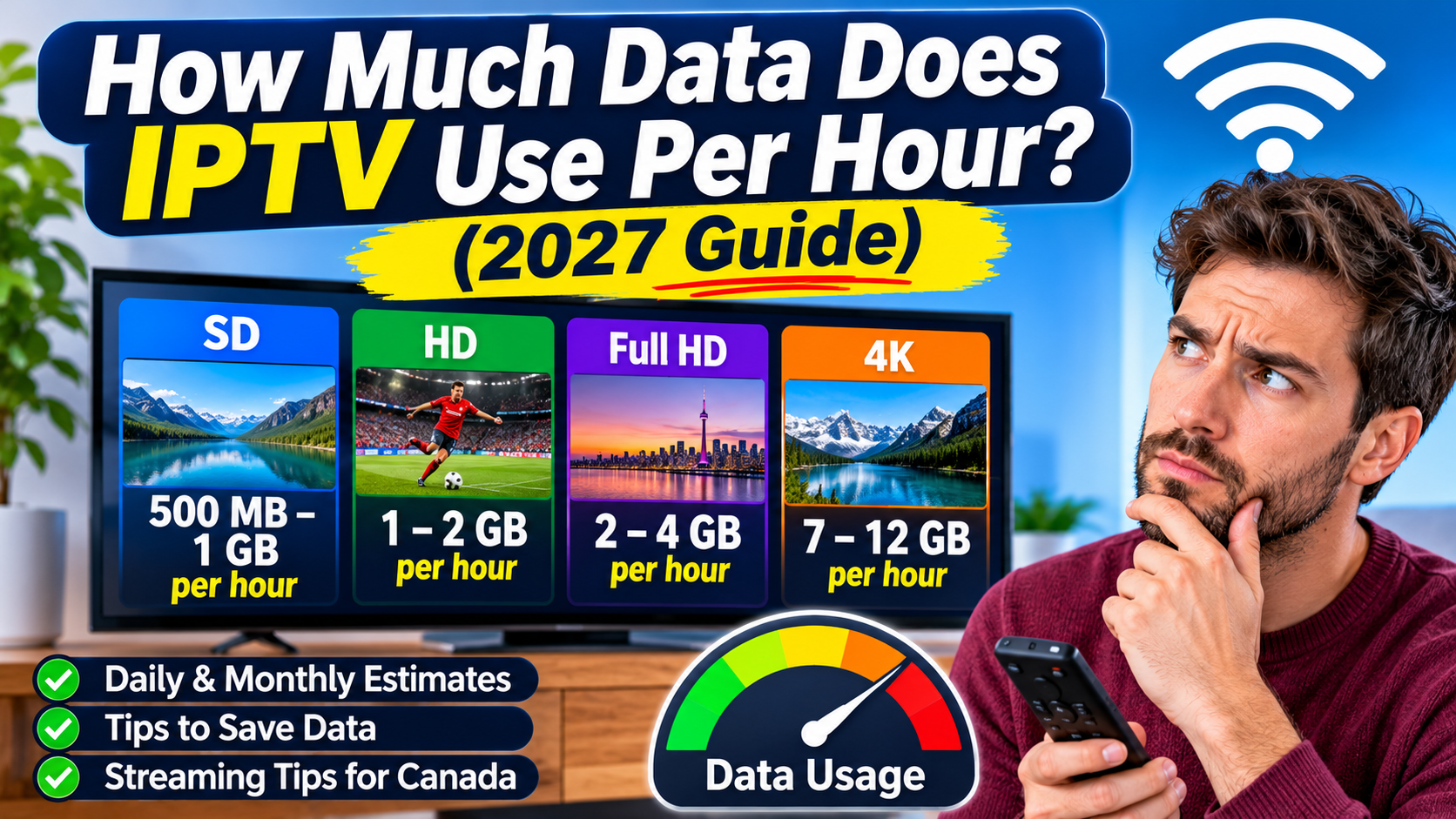
IPTV can use anywhere from around 500 MB to more than 11 GB per hour, depending on the streaming quality and bitrate.
Here is a general estimate:
| Streaming quality | Estimated data per hour |
|---|---|
| Low quality | 300–700 MB |
| SD (480p) | 500 MB–1 GB |
| HD (720p) | 1–2 GB |
| Full HD (1080p) | 2–4 GB |
| 4K Ultra HD | 7–12 GB |
These are approximate figures, not fixed amounts. Actual data usage varies depending on the channel, video compression, frame rate, and streaming bitrate.
For example, a high-bitrate sports channel may use more data than a regular entertainment channel, even when both appear to have the same resolution.
Your daily IPTV data consumption depends on how many hours you watch.
The following estimates use an example of 2 GB per hour for HD streaming.
| Daily viewing time | Approximate daily usage |
|---|---|
| 1 hour | 2 GB |
| 2 hours | 4 GB |
| 3 hours | 6 GB |
| 4 hours | 8 GB |
| 5 hours | 10 GB |
| 6 hours | 12 GB |
If you watch IPTV for four hours every day, you could use approximately 240 GB per month at this streaming rate.
Watching in 4K can increase that amount considerably.
Monthly IPTV data usage is important if your internet plan has a monthly data allowance.
Here is an example based on different daily viewing habits at approximately 2 GB per hour.
| Hours watched daily | Estimated monthly data |
|---|---|
| 1 hour | 60 GB |
| 2 hours | 120 GB |
| 3 hours | 180 GB |
| 4 hours | 240 GB |
| 5 hours | 300 GB |
| 6 hours | 360 GB |
| 8 hours | 480 GB |
These estimates assume 30 days of viewing and do not include other household internet activities.
Remember that your internet connection also uses data for browsing, downloads, video calls, gaming, and other streaming services.
IPTV does not automatically use more data than other streaming platforms.
Data usage is primarily determined by the video bitrate. A high-quality IPTV stream can use a similar amount of data to a high-quality movie streamed through another service.
For example:
SD streaming generally uses less data.
HD streaming uses more than SD.
Full HD streaming requires a higher bitrate.
4K streaming can consume several gigabytes per hour.
The same principle applies to IPTV, Netflix, YouTube, and other video streaming platforms.
The important factor is the quality and bitrate of the video, not simply the name of the streaming service.
It can.
Live sports channels sometimes use higher bitrates because fast-moving action benefits from more detailed video and smoother motion.
Sports such as hockey, football, basketball, and soccer can require more bandwidth than slower-moving television content.
However, the actual data usage depends on the stream's bitrate and compression. A sports channel is not necessarily more data-intensive than every movie or entertainment channel.
If you watch live sports for several hours each day, keep an eye on your monthly internet usage.
Watching IPTV on an Amazon Fire TV Stick uses data just like watching IPTV on a Smart TV, Android TV box, or another compatible device.
Your Firestick does not determine how much data a stream consumes. The streaming quality and bitrate make the biggest difference.
For example:
One hour of SD IPTV may use around 500 MB to 1 GB.
One hour of HD IPTV may use around 1–2 GB.
One hour of Full HD IPTV may use around 2–4 GB.
One hour of 4K IPTV may use around 7–12 GB.
If you use a Firestick regularly, check your internet provider's usage information to understand how much data your household consumes.
Normally, an IPTV stream uses most of its data while you are actively watching a channel or video.
However, your streaming device may still use some internet data in the background.
This can include:
App updates.
Device software updates.
Electronic Program Guide (EPG) updates.
Playlist refreshes.
Background app activity.
Other streaming applications.
These activities generally use much less data than continuously watching live television, but they can contribute to your monthly usage.
If you have a limited internet plan, there are several ways to reduce your IPTV data consumption.
If your IPTV player offers different stream qualities, choose a lower resolution when you don't need HD or 4K.
For example, watching in SD instead of Full HD can reduce your data consumption significantly.
4K streams can use several times more data than SD or HD streams.
If your television is smaller or you sit farther away, you may not notice enough of a difference to justify the extra data consumption.
Exit your IPTV application when you're finished watching.
This helps prevent unnecessary background activity and makes sure you aren't accidentally leaving a stream running.
Most Canadian internet providers offer online accounts or mobile apps that let customers monitor monthly data consumption.
Check your usage regularly so you know whether your IPTV viewing habits fit your internet plan.
Watching IPTV on several televisions simultaneously can increase your household's total data consumption.
For example, two televisions each using 2 GB per hour can consume approximately 4 GB per hour combined.
If you're watching IPTV on your phone or tablet, connect to Wi-Fi whenever possible.
Streaming over mobile data can use a large portion of your monthly cellular allowance, particularly when watching HD or 4K content.
The easiest way to monitor IPTV data usage is through your internet provider's usage tracker.
You can also check your router's traffic-monitoring features if your router supports them.
Here are a few ways to monitor usage:
On your internet provider's account:
Sign in to your internet provider's website or app.
Find the internet usage or data consumption section.
Check your current monthly usage.
Compare your usage before and after extended IPTV viewing.
On your router:
Some routers provide connected-device statistics that show how much data individual devices use. Look for traffic monitoring, data usage, or bandwidth statistics in your router settings.
On your mobile device:
Android and iPhone devices offer mobile data usage information in their settings. Check the mobile data section to see which apps are consuming cellular data.
You do not necessarily need unlimited internet to watch IPTV, but it can be helpful if you stream television for several hours every day.
For example, a household watching four hours of HD IPTV daily could use around 240 GB per month from IPTV alone, based on the estimates in this guide.
If other family members also stream movies, play online games, download large files, or use video conferencing, total household consumption will be higher.
When choosing an internet plan in Canada, consider:
How many hours you watch IPTV each day.
Whether you stream in SD, HD, Full HD, or 4K.
How many televisions stream at the same time.
How much data other household members use.
Whether your internet plan includes a monthly data allowance.
An unlimited data plan can make it easier to enjoy streaming without constantly worrying about reaching a monthly limit.
It can, especially when streaming in Full HD or 4K. Standard-definition streams use considerably less data, while high-bitrate streams can consume several gigabytes per hour.
At approximately 2 GB per hour, IPTV would use around 4 GB in two hours. Actual usage depends on streaming quality and bitrate.
Traditional cable television generally does not count toward your home internet data allowance. IPTV streams television over an internet connection, so its data consumption is counted by your internet provider.
A paused stream normally uses little or no continuous video-streaming data, although the app or device may still perform background internet activity.
Not automatically. A Firestick generally uses similar amounts of data to other devices when playing the same stream at the same bitrate and quality.
A 4K IPTV stream may use approximately 7–12 GB per hour, although actual consumption depends on its bitrate and compression.
Yes. You can reduce consumption by choosing lower-quality streams, limiting viewing hours, avoiding simultaneous streams, and monitoring your monthly data usage.
IPTV data usage depends on how often you watch and the quality of the streams you choose.
For occasional viewing, a limited data plan may be sufficient. However, households that watch several hours of HD or 4K television every day should pay close attention to their monthly internet consumption.
If you want to enjoy IPTV without worrying about data limits, compare internet plans and choose one that supports your household's streaming habits.
Understanding how much data IPTV uses per hour can help you make smarter streaming decisions and avoid unexpected internet usage charges.
Other Troubleshooting Blogs You May Find Usefull
Ready to enjoy live TV, sports and entertainment on your favourite devices? Visit our Quality TV Pricing Page to explore available subscription options and find a plan that suits your household.