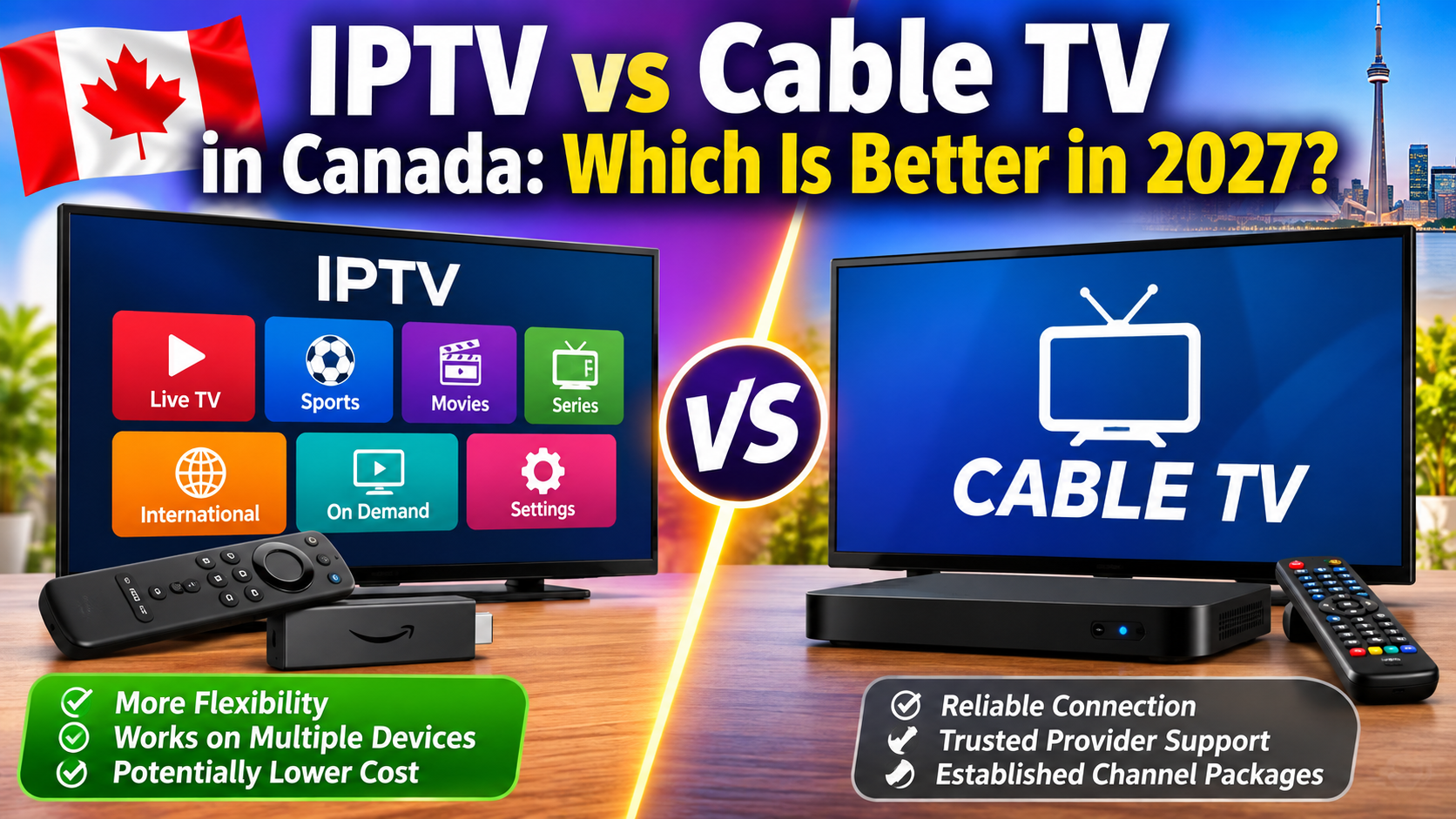
Are you thinking about switching from traditional cable television to IPTV in Canada? With more Canadians looking for flexible ways to watch live TV, sports, movies and international channels, it's worth understanding the differences before choosing a service.
IPTV and cable TV can both provide live television, but they deliver programming differently. IPTV uses internet-based technology, while traditional cable television delivers channels through a cable provider's network.
There is one important detail: services such as Bell Fibe TV and TELUS Optik TV are also forms of IPTV. In this guide, we'll compare traditional cable with provider-managed IPTV and independent internet-based IPTV services so you can understand your options.
We'll look at pricing, channels, sports, picture quality, reliability, equipment, internet requirements and which option makes the most sense for Canadian households in 2027.
Before comparing the advantages and disadvantages, it's important to understand how each television service works.
Traditional cable TV delivers television programming through a cable network operated by a television provider.
In Canada, cable television has traditionally been offered by companies such as:
Rogers
Cogeco
Videotron
Eastlink
Shaw (now part of Rogers in many markets)
Depending on your location and package, cable TV may include local channels, news, entertainment, movies, sports and specialty programming.
Most traditional cable setups require a provider-supplied receiver or television box.
IPTV stands for Internet Protocol Television. It describes television delivered using internet protocol technology rather than traditional cable distribution.
There are two important types to understand:
1. Provider-managed IPTV
Companies such as Bell and TELUS offer television services delivered through their own managed networks. Examples include Bell Fibe TV and TELUS Optik TV.
These services typically include provider equipment, customer support and authorized channel packages.
2. Independent internet-based IPTV services
These services deliver streams through an internet connection and may be accessed through compatible apps and streaming devices.
Depending on the provider, you may use a Firestick, Android TV box, Smart TV, smartphone or tablet.
The important distinction is that IPTV is a delivery technology, not a guarantee that a particular service is legitimate or licensed. Always check whether the provider is authorized to distribute the content it offers.
Here's a side-by-side look at the main differences.
| Feature | Internet-based IPTV | Traditional cable TV |
|---|---|---|
| Delivery method | Internet connection | Cable network |
| Internet required | Yes | Usually not for traditional cable channels |
| Equipment | Compatible TV, streaming box or device | Provider-supplied TV box |
| Channel selection | Depends on provider and content rights | Depends on package and location |
| Live sports | Depends on authorized content package | Available through sports packages |
| International channels | Depends on provider | Often available through specialty packages |
| Installation | Often app-based | May require provider equipment |
| Multiple screens | Depends on device and connection limits | May require extra boxes or supported apps |
| Picture quality | Depends on stream and internet connection | Depends on provider and broadcast quality |
| Reliability | Depends on internet and service performance | Generally independent of home Wi-Fi |
| Customer support | Varies by provider | Established provider support |
| Pricing | Varies by service and equipment | Varies by package and equipment |
Neither option is automatically better. The right choice depends on your budget, internet connection, favourite channels and how you prefer to watch television.
Cost is one of the biggest reasons people consider changing their television service.
Traditional cable packages can include monthly television charges, equipment rentals, premium channel add-ons and other fees.
Internet-based IPTV may have a lower additional cost if you already pay for home internet and own a compatible streaming device. However, the total price depends on the provider, subscription terms and whether you need new equipment or a faster internet plan.
When comparing a cable package, look beyond the advertised monthly price.
Your actual bill may include:
Basic television package.
Premium sports or movie channels.
Additional receiver rentals.
Installation or activation charges.
Equipment fees.
Taxes.
Promotional discounts that eventually expire.
A package advertised at a promotional rate may cost more after the discount period ends.
An internet-based IPTV setup may involve:
IPTV subscription payments.
Your existing home internet plan.
A compatible streaming device, if needed.
Optional paid IPTV player applications.
Additional simultaneous connections, if required.
If you already have reliable internet and a Firestick or Smart TV, you may not need much additional equipment.
However, be careful with unusually cheap subscriptions promising thousands of premium channels. A low price does not prove that the provider has the rights to distribute that content.
Use this simple calculation before cancelling cable.
Cable annual cost:
Monthly cable bill × 12, plus equipment and other charges.
IPTV annual cost:
Subscription payments + additional internet costs + device or app expenses.
For example, if switching to internet-based IPTV requires upgrading your internet package, include that extra monthly cost in your comparison.
The CRTC reported that average monthly revenue per subscriber for cable and telecom IPTV services was $54.60 in 2025. This is an industry average, not a current advertised package price, and individual bills can be very different. <Cite refs={["turn219502search8"]}/>
Channel selection is another important difference.
Traditional cable packages offer a range of programming, depending on your provider and subscription.
Common categories include:
Canadian local channels.
National news.
Entertainment.
Movies.
Children's programming.
Sports.
Specialty channels.
International programming.
Premium channels and additional sports packages may cost extra.
Internet-based IPTV channel selection depends entirely on the provider and its content rights.
An authorized service may offer:
Live television.
Sports programming.
News.
Movies and entertainment.
International channels.
On-demand content.
Some providers offer flexible packages, while others have fixed channel lineups.
Which is better?
IPTV may provide more flexibility in how channels are accessed, while cable offers established packages and familiar Canadian television options.
Don't choose a service based only on the advertised number of channels. Check whether it actually includes the programs you watch.
Sports are a major reason many Canadians keep a television subscription.
Whether you watch hockey, football, basketball, baseball or other live events, channel availability matters.
Cable providers offer sports channels through standard or premium packages.
Advantages include:
Established sports networks.
Provider-managed equipment.
Familiar channel guides.
Customer support.
Packages designed around Canadian sports viewers.
Some premium sporting events require additional subscriptions or pay-per-view purchases.
Authorized internet-based television services may offer sports programming through compatible streaming devices.
Depending on the package, you may be able to watch sports on:
Amazon Fire TV devices.
Android TV boxes.
Compatible Smart TVs.
Smartphones.
Tablets.
The viewing experience depends on stream quality, your internet connection and the provider's available content rights.
Which is better for sports?
Cable may be the more predictable choice for viewers who want established Canadian sports packages. Authorized IPTV can offer flexibility, especially for people who prefer internet-connected devices.
Before choosing, confirm that the service legally includes the sports channels and events you want.
Both IPTV and cable can offer HD and 4K programming, but the actual experience depends on the service.
Traditional cable television does not depend on your home Wi-Fi connection for normal television delivery.
This can make it a convenient option if your household has unreliable wireless internet.
Picture quality still depends on the provider's signal, channel format, equipment and broadcast quality.
IPTV picture quality depends on several factors:
Your internet speed.
Stream resolution.
Video compression.
Device performance.
Wi-Fi signal strength.
Provider server performance.
A good IPTV stream can look excellent, but a weak connection or poor-quality source can cause buffering, freezing or reduced picture quality.
These are practical planning estimates for one stream:
| Video quality | Suggested download speed |
|---|---|
| SD | 5–8 Mbps |
| 720p HD | Around 10 Mbps |
| 1080p Full HD | 10–15 Mbps |
| 4K Ultra HD | 25–35 Mbps |
These are estimates, not guaranteed requirements. Actual speed needs vary by stream and provider.
If multiple people are watching IPTV at the same time, allow extra bandwidth for each stream and other household internet activity.
Reliability can make a big difference, especially if you regularly watch live sports or important television events.
Traditional cable TV is generally independent of your home Wi-Fi network.
This means that a household with a weak wireless connection may still receive its regular cable channels.
However, cable services can still experience outages, equipment problems and maintenance interruptions.
Internet-based IPTV relies on an internet connection and the streaming service itself.
Possible causes of interruptions include:
Slow internet.
Weak Wi-Fi.
Network congestion.
Provider server outages.
Stream source problems.
Device performance issues.
Using Ethernet instead of Wi-Fi can help improve stability when your streaming device supports it.
Which is more reliable?
Traditional cable may be the safer option if your internet connection is inconsistent. IPTV can work very well with reliable broadband and a properly functioning service, but performance depends on more factors.
The installation process is another difference worth considering.
Cable installation may involve:
Choosing a television package.
Scheduling installation if required.
Receiving a provider-supplied television box.
Connecting the equipment.
Activating your service.
Some providers offer self-installation, while others may require a technician.
An internet-based IPTV setup can be simpler if you already own a compatible device.
A typical setup involves:
Connecting your Firestick, Android TV box or Smart TV to the internet.
Installing a compatible IPTV player from a trusted source.
Adding your authorized subscription details.
Loading your available channels.
Testing playback.
Not every IPTV app works on every device. Check compatibility before purchasing equipment or a subscription.
Many households have more than one television.
For example, one person may want to watch hockey in the living room while someone else watches a movie in the bedroom.
Cable providers may require additional receivers or supported streaming apps for other televisions.
Additional equipment can increase your monthly bill.
Some internet-based IPTV subscriptions allow multiple simultaneous streams.
However, the number of permitted connections depends on the provider and subscription plan.
Before subscribing, check:
How many devices can be registered.
How many streams can play at once.
Whether simultaneous connections cost extra.
Whether the same account can be used in different locations.
Installing the same IPTV player on several televisions does not automatically mean you can watch on all of them simultaneously.
Yes. Internet-based IPTV requires an internet connection to deliver television programming.
Traditional cable television generally does not require your home internet connection to receive its regular cable channels.
This is an important consideration for rural households or people living in areas with limited broadband availability.
If your internet service is unreliable, traditional cable may provide a more consistent television experience.
However, remember that provider-managed services such as Bell Fibe TV and TELUS Optik TV are also IPTV services and use their providers' managed networks.
This is one of the most important questions to consider before choosing an IPTV service.
IPTV technology itself is legal. Many established Canadian television providers use IPTV technology to deliver authorized television programming.
However, not every service advertising IPTV subscriptions is authorized to distribute the channels and content it offers.
Before subscribing, look for:
Clear company information.
Transparent subscription terms.
Legitimate customer support.
Information about content distribution rights.
A clear privacy policy.
Payment and cancellation information.
Be cautious of services advertising enormous premium channel packages at extremely low prices without explaining their licensing.
The CRTC recognizes cable and provider-distributed IPTV as television distribution options. Its reporting also distinguishes these services from general internet streaming platforms. <Cite refs={["turn219502search0","turn219502search7"]}/>
The important thing is to choose a provider that has the appropriate rights to distribute its programming.
Here's a closer look at the main pros and cons.
Can work on several types of compatible devices.
Does not always require a traditional cable box.
Can be convenient for watching away from the television.
Some services offer flexible subscription options.
Can integrate live television and on-demand content.
May reduce additional TV equipment costs.
Requires a reliable internet connection.
Streaming performance can vary.
Some services have device or connection limits.
App compatibility differs between devices.
Unlicensed providers create legal and security risks.
Technical troubleshooting may be required.
Familiar television experience.
Provider-managed equipment.
Established Canadian channel packages.
Does not depend on home Wi-Fi for traditional cable channels.
Established customer service and billing.
Convenient for viewers who prefer a traditional setup.
Equipment rental may increase monthly costs.
Premium channels can cost extra.
Packages may include channels you rarely watch.
Installation may be required.
Promotional prices may increase after the offer ends.
Additional televisions may require extra equipment.
The best option depends on how you watch television.
| Type of viewer | Option worth considering |
|---|---|
| Someone who wants a traditional TV setup | Cable |
| Household with unreliable internet | Cable |
| Viewer who prefers streaming devices | Internet-based IPTV |
| Person who watches TV on a tablet or phone | Internet-based IPTV |
| Sports fan who wants established Canadian packages | Cable or authorized IPTV with the required sports rights |
| Household with several TVs | Compare both services' connection and equipment costs |
| Viewer who wants provider-managed support | Cable or provider-managed IPTV |
There is no single winner for every Canadian household.
If you're considering cancelling cable, don't rush into the decision.
Follow these steps to make sure you choose the right service.
Look at your monthly bill and identify:
Basic TV package cost.
Premium channel charges.
Receiver rental fees.
Promotional discounts.
Taxes and additional fees.
This gives you a realistic starting point.
If you're considering internet-based IPTV, test your internet connection.
Make sure it can handle the number of televisions you plan to use.
If your internet plan has a data allowance, check whether streaming could cause you to exceed it.
Make sure your streaming devices support the IPTV player you want to use.
Common options include:
Amazon Fire TV devices.
Android TV and Google TV boxes.
Compatible Samsung Smart TVs.
Compatible LG Smart TVs.
iPhones and iPads.
App availability varies by model, operating system and region.
Before paying for a subscription, check that the provider has the rights to distribute its television programming.
Do not rely on channel counts or low prices as proof of legitimacy.
Add the subscription, internet upgrade, equipment and any additional connection charges.
Compare that amount with your current cable bill over a full year.
If possible, test your chosen authorized service alongside your existing television subscription.
Check picture quality, channel availability, reliability and ease of use.
Only cancel your cable package once you are satisfied with the alternative and have checked any contract or cancellation terms.
It depends on your needs. Internet-based IPTV can offer flexibility and device compatibility, while cable provides a familiar television experience that does not rely on home Wi-Fi. Provider-managed IPTV services such as Bell Fibe TV also offer a middle ground.
It can be, particularly if you already have suitable internet and compatible streaming equipment. However, compare the full cost of the subscription, internet, devices and additional connections before deciding.
Yes, authorized IPTV services may offer Canadian television channels. Availability depends on the provider, your location and its distribution rights.
Some IPTV player applications are compatible with supported Fire TV devices. App availability and compatibility depend on the device model, operating system and region.
Yes. Internet-based IPTV does not require a traditional cable television subscription. You do need a suitable internet connection and an authorized content source.
Yes. Bell Fibe TV is a provider-managed IPTV television service. It is different from independent internet-based IPTV apps and subscriptions.
Yes. TELUS Optik TV uses IPTV technology to deliver television programming through TELUS's network.
It can replace cable for some households, provided the chosen service offers the channels and programming they need. Check local channels, sports rights, reliability and device compatibility before switching.
Internet-based IPTV generally stops working when its internet connection is unavailable. Traditional cable television may continue working during a home internet outage, provided the cable television network itself remains operational.
So, which is better: IPTV or cable TV?
For viewers who want a traditional television experience, established Canadian channel packages and provider-managed equipment, cable remains a practical option.
For households that already have reliable internet and prefer watching television through streaming devices, internet-based IPTV can offer more flexibility.
The most important thing is to compare the actual services rather than choosing based only on the technology's name.
Check the total monthly cost, channel lineup, sports availability, internet requirements, equipment, customer support and content licensing.
Our recommendation: If you are happy with your internet connection and want more flexibility, compare authorized IPTV options before renewing an expensive cable package. If reliability and traditional provider support matter more, cable or provider-managed IPTV may be the better choice.
The right television service is the one that gives your household the programming you want, dependable performance and a price that makes sense.
Other Blogs You may Find Helpfull
Ready to enjoy live TV, sports and entertainment on your favourite devices? Visit our Quality TV Pricing Page to explore available subscription options and find a plan that suits your household.