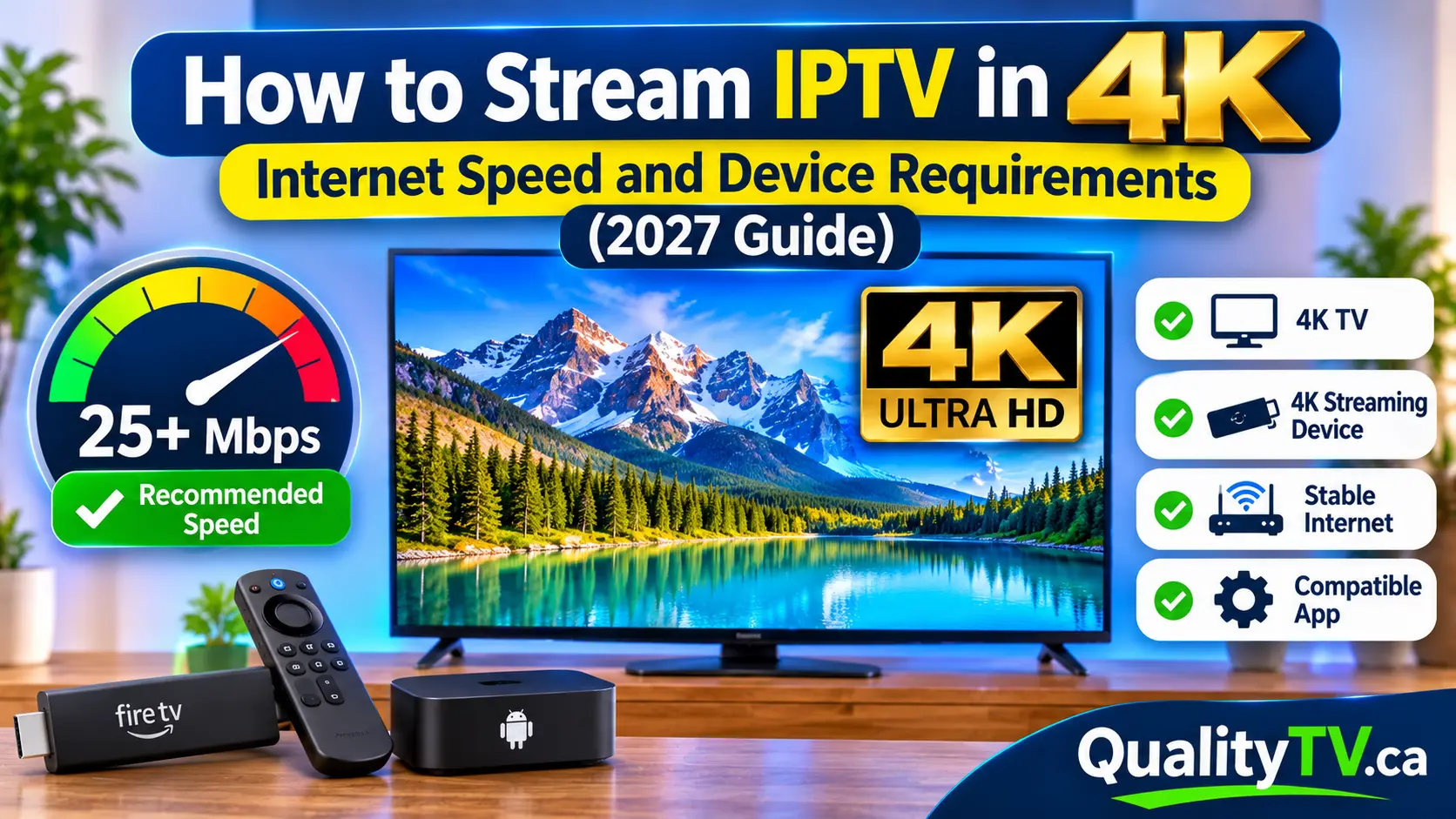
Watching IPTV in 4K can provide a much sharper and more detailed viewing experience than standard HD streaming. With four times the resolution of Full HD, 4K Ultra HD delivers clearer images, more visible details, and a more immersive viewing experience.
However, enjoying 4K IPTV requires more than simply having a 4K television.
Your internet connection, streaming device, IPTV application, video decoder, and the quality of the actual streaming source all play an important role.
If your device does not support 4K playback or your internet connection cannot consistently deliver enough bandwidth, you may experience buffering, freezing, or reduced picture quality.
So, what do you need to stream IPTV in 4K?
In this guide, we'll explain the internet speeds, devices, network settings, and equipment required for smooth 4K IPTV streaming in 2027.
4K IPTV refers to television content delivered over an internet connection in Ultra High Definition resolution.
A standard 4K display has a resolution of 3840 × 2160 pixels, compared with 1920 × 1080 pixels for Full HD.
This means 4K contains approximately four times as many pixels as 1080p.
Here is a quick comparison:
| Resolution | Pixel Dimensions | Total Pixels |
|---|---|---|
| SD | 720 × 480 | 345,600 |
| HD | 1280 × 720 | 921,600 |
| Full HD | 1920 × 1080 | 2.07 million |
| 4K UHD | 3840 × 2160 | 8.29 million |
The additional detail can make a noticeable difference when watching live sports, movies, documentaries, and other high-quality content.
However, your IPTV provider must actually offer a genuine 4K stream. Having a 4K television does not automatically make HD channels display in native 4K.
Internet speed is one of the most important requirements for 4K IPTV streaming.
Because 4K video contains significantly more information than standard HD content, it generally requires more bandwidth.
As a general planning guide, consider the following speeds:
| Streaming Quality | Suggested Download Speed |
|---|---|
| SD | 3–5 Mbps |
| HD | 5–10 Mbps |
| Full HD (1080p) | 10–15 Mbps |
| 4K UHD | 25 Mbps or higher |
These are approximate recommendations, not guaranteed minimum requirements. Actual bandwidth depends on video compression, frame rate, bitrate, and the streaming provider.
For a more comfortable 4K streaming experience, having 50 Mbps or more available can provide additional capacity for other household devices.
If several people in your household use the internet simultaneously, you should account for their activities.
For example:
One person watching IPTV in 4K.
Another person streaming movies.
Someone playing online games.
Other devices downloading files or updating applications.
All these activities use bandwidth.
If your internet plan provides limited capacity, simultaneous usage may affect streaming performance.
Tip: Choose an internet plan that provides enough bandwidth for your entire household, not just one streaming device.
Not every streaming device supports 4K playback.
To enjoy 4K IPTV, your device must have compatible hardware capable of decoding the video format used by the stream.
Here are some common device categories to consider.
Certain Amazon Fire TV devices support 4K streaming.
Depending on the model, they may offer:
4K Ultra HD playback.
HDR support.
HEVC video decoding.
Dual-band Wi-Fi.
Compatible IPTV applications.
Check your specific Fire TV model before purchasing it for 4K streaming.
Many modern Android TV boxes support 4K video playback.
However, not all Android boxes are equally capable.
Before purchasing one, check for:
Native 4K video decoding.
HEVC/H.265 support.
Sufficient processing power.
Compatible operating system.
Reliable Wi-Fi or Ethernet connectivity.
Support from your chosen IPTV application.
Avoid assuming that every inexpensive Android TV box advertising 4K can handle every 4K streaming format.
Many newer Smart TVs include built-in 4K resolution and support popular streaming applications.
If your television supports 4K and your IPTV application supports compatible 4K streams, you may not need an additional streaming device.
However, the television must also support the specific video codec and playback requirements of the stream.
Some Apple TV and other premium streaming devices support 4K video playback.
Always check the exact model, supported resolution, video formats, and application compatibility before choosing a device.
Having a 4K IPTV stream is not enough if your television only supports Full HD.
To enjoy native 4K resolution, your display must support 3840 × 2160 pixels.
Before upgrading your IPTV equipment, check your television specifications.
Look for:
4K Ultra HD resolution.
HDMI input compatibility.
HDR support if required by your content.
Compatible picture settings.
Support for the video formats you intend to watch.
If you connect a 4K streaming device to a 1080p television, the television cannot display the full native 4K resolution.
It may still show the content, but it will be displayed at the television's supported resolution.
A stable internet connection is especially important when streaming high-bitrate 4K content.
Both Ethernet and Wi-Fi can support 4K IPTV, but their performance can differ depending on your home network.
Ethernet connects your streaming device directly to your router using a network cable.
Advantages include:
More consistent network performance.
Less wireless interference.
Reliable connectivity.
Better performance when Wi-Fi coverage is weak.
If your streaming device is located near your router, Ethernet is an excellent option.
Modern Wi-Fi networks can also provide enough bandwidth for 4K streaming.
For best results:
Use 5 GHz Wi-Fi when the signal is strong.
Keep your streaming device reasonably close to the router.
Avoid unnecessary wireless interference.
Reduce network congestion.
Consider Wi-Fi 6 if your equipment supports it.
The important thing is maintaining a stable connection rather than simply choosing the fastest advertised wireless speed.
For a detailed comparison, read our guide: Ethernet vs Wi-Fi for IPTV: Which Connection Is Better?
Video codecs determine how video information is compressed and decoded during streaming.
This is particularly important for 4K content because high-resolution video requires efficient compression to deliver good picture quality without consuming excessive bandwidth.
Here are some common video codecs.
H.264 is a widely supported video compression format.
It is commonly used for HD streaming and can also support certain 4K video applications, although it is generally less efficient than newer codecs at comparable quality.
H.265, also known as High Efficiency Video Coding, is widely used for 4K video.
It offers improved compression efficiency compared with H.264, helping deliver high-resolution content with less bandwidth at comparable quality.
However, your streaming device must support HEVC decoding to play compatible streams properly.
AV1 is a newer video codec designed to provide efficient compression.
It is increasingly supported by modern streaming hardware and platforms, but compatibility depends on your device and the streaming application.
If your IPTV stream uses a video codec that your device cannot decode properly, you may experience:
Black screens.
Playback errors.
Video freezing.
Audio without picture.
Poor playback performance.
Before choosing a streaming device, check which codecs it supports.
Yes. Your router can have a major impact on your 4K streaming experience.
Even with a fast internet plan, an outdated router or weak Wi-Fi signal may prevent your device from receiving data consistently.
A suitable router should provide:
Reliable wireless coverage.
Dual-band or tri-band Wi-Fi.
Gigabit Ethernet ports where needed.
Support for multiple connected devices.
Regular firmware updates.
Sufficient performance for your internet plan.
Wi-Fi 6 or newer can be useful in busy households with multiple connected devices.
If your 4K IPTV stream regularly buffers, consider testing your connection using Ethernet to determine whether wireless performance is the problem.
For more information, read: Does Your Router Affect IPTV Streaming Quality?
One frustrating situation is having a fast internet plan but still experiencing buffering during 4K playback.
This can happen for several reasons.
Your internet plan may be fast, but your streaming device may receive a weak wireless signal.
Try moving your router closer or connecting through Ethernet.
Other household devices may be using significant bandwidth.
Pause large downloads and check whether other devices are streaming simultaneously.
Older streaming devices may struggle with certain high-resolution video formats.
Check whether your device supports the codec and frame rate used by the stream.
Sometimes the issue is not your internet connection.
A particular 4K stream may experience temporary interruptions or provider-side congestion.
Try another channel to determine whether the problem affects one stream or all content.
An older router may struggle to manage multiple connected devices.
Check your router's capabilities and consider an upgrade if it consistently causes network problems.
Once you have compatible hardware and a suitable internet connection, there are several ways to improve playback performance.
Try these steps:
Keep your streaming device's software updated.
Update your IPTV application.
Make sure 4K output is enabled where supported.
Use a compatible video decoder.
Clear unnecessary application cache files.
Restart your streaming device periodically.
Keep sufficient storage space available.
Close unnecessary background applications.
Use Ethernet or a strong Wi-Fi connection.
Check your television's picture settings.
These adjustments can help prevent device-related playback problems.
If you use an external streaming box or device, your HDMI connection is another important consideration.
For typical 4K streaming at 60 frames per second, a suitable Premium High Speed HDMI cable supporting 18 Gbps is generally sufficient.
An Ultra High Speed HDMI cable is designed for higher-bandwidth applications, including 4K at higher refresh rates and 8K formats.
Your television, streaming device, and HDMI port must also support the required resolution and refresh rate.
For many IPTV users, an HDMI 2.0-compatible setup is sufficient for standard 4K streaming.
You do not need to purchase an expensive HDMI 2.1 cable simply because you watch IPTV in 4K.
Whether 4K IPTV is worth it depends on your television, internet connection, viewing habits, and availability of genuine 4K content.
Sharper images.
More visible details.
Better viewing experience on larger televisions.
Greater visual clarity when watching supported sports and movies.
Support for compatible HDR content.
Higher bandwidth requirements.
Compatible streaming devices are necessary.
Not every channel is available in 4K.
Some 4K streams may require more processing power.
A compatible television is needed to enjoy native 4K resolution.
If most of your favourite channels are only available in HD, upgrading everything to 4K may not provide a noticeable benefit.
However, if you regularly watch genuine 4K content on a large television, the improvement can be worthwhile.
Before attempting to stream IPTV in 4K, use this checklist to make sure your setup is ready.
A television that supports native 4K resolution.
A streaming device capable of 4K playback.
Support for the video codec used by your IPTV stream.
A stable internet connection.
Approximately 25 Mbps or more available for a typical 4K stream, depending on its bitrate.
A compatible IPTV application.
A suitable HDMI connection if using an external device.
A reliable router with adequate coverage.
Access to genuine 4K content through your streaming service.
If all these requirements are met, you will have a solid foundation for 4K IPTV streaming.
A download speed of approximately 25 Mbps or higher is a useful starting point for a typical 4K stream. Higher speeds may be needed for high-bitrate content or households with multiple active devices.
Yes, certain Fire TV devices support 4K playback. You must use a compatible model, television, application, and video stream.
Yes. 4K streaming generally uses more data than HD because it delivers more video information. Actual usage depends on bitrate, compression, and viewing time.
Yes. A strong and stable Wi-Fi connection can support 4K IPTV. Ethernet is another option if you want a more consistent connection.
The channel may not actually be broadcasting in native 4K. Your streaming device, application, or television may also be outputting a lower resolution.
Your IPTV player and device must support the resolution and video formats of the content you want to watch. Application compatibility varies.
No. You also need a compatible streaming device or television application, a supported video stream, and sufficient internet bandwidth.
Not necessarily. Typical 4K streaming at 60 Hz can work with suitable HDMI 2.0-compatible equipment and cabling. HDMI 2.1 is useful for higher-bandwidth applications.
Streaming IPTV in 4K can deliver an excellent viewing experience, but getting the best results requires the right combination of internet speed, compatible hardware, and stable network performance.
Start by checking whether your television and streaming device support native 4K playback. Then make sure your internet connection can consistently handle the bitrate of your chosen stream.
If you experience buffering, test Ethernet, optimize your router, and check your device's video decoding capabilities.
Most importantly, remember that a 4K television does not automatically make every IPTV channel 4K. Your IPTV source must provide genuine Ultra HD content.
With the right equipment and a properly configured network, you can enjoy a sharper and more reliable streaming experience.
Looking for an IPTV streaming option in Canada?
Visit Quality TV to explore our available IPTV plans and find an option that suits your entertainment needs.
Ready to enjoy live TV, sports and entertainment on your favourite devices? Visit our Quality TV Pricing Page to explore available subscription options and find a plan that suits your household.